 WhatsApp +44 7367 063273
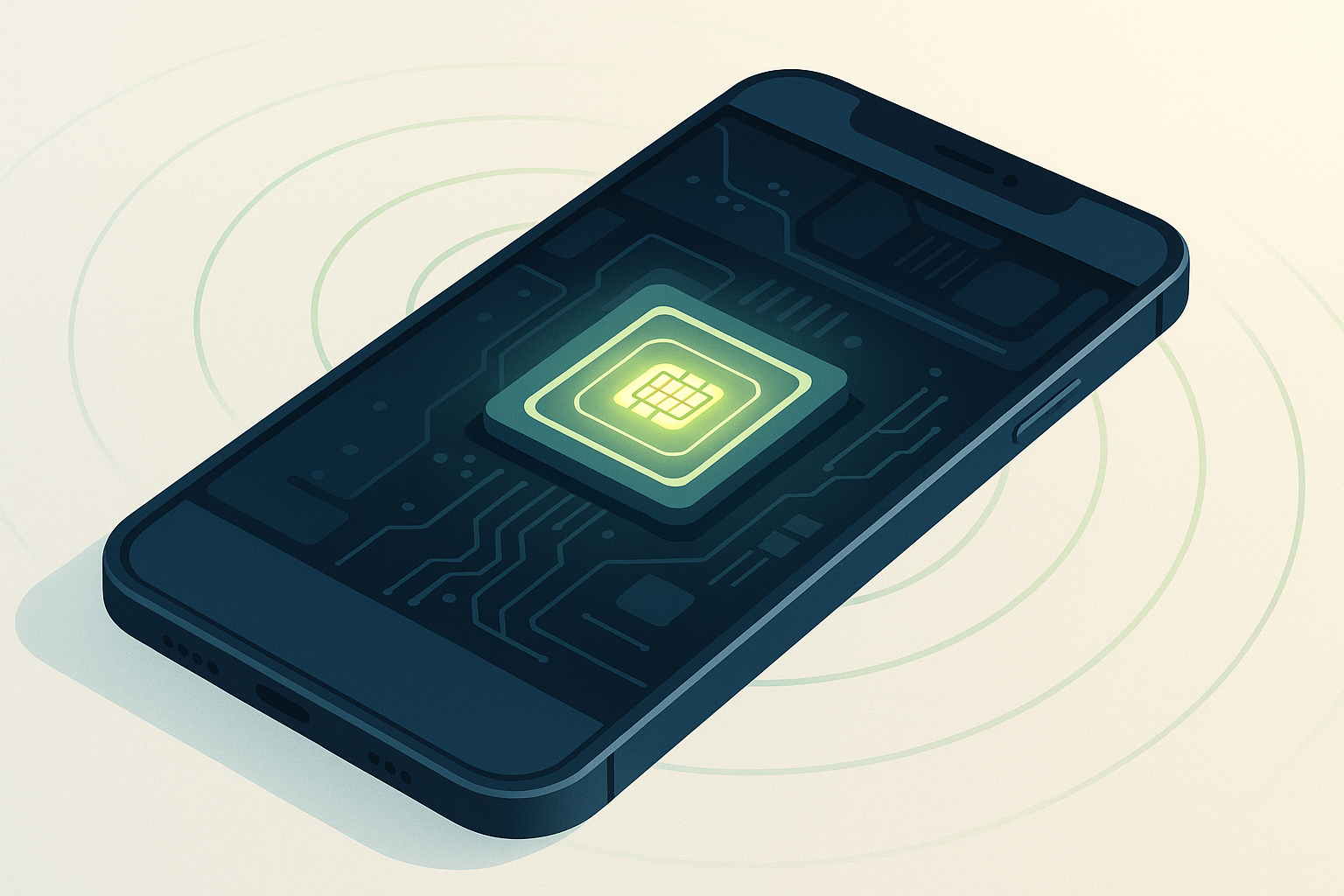
An eSIM is a small chip permanently embedded in your phone, tablet, or smartwatch that performs the same job as a traditional plastic SIM card—it connects you to a mobile network—but instead of inserting a physical card, you download a digital carrier profile over the air. The "e" stands for embedded, meaning the SIM hardware is soldered into the device at the factory and never leaves.
What is an eSIM and how does it work?
An eSIM chip sits on your phone's logic board and contains a secure element—a tamper-resistant processor that stores carrier credentials just like the smart-card chip in a traditional SIM. The difference is that an eSIM profile (the carrier plan data) is downloaded and written to the chip rather than pre-loaded at a factory and shipped in a plastic tray. You receive the profile from your carrier's SM-DP+ server (Subscription Manager Data Preparation), typically by scanning a QR code or entering an activation code in your phone's settings.
Once installed, the eSIM profile tells the chip which mobile network to connect to, your phone number (if the plan includes one), and your account details. Your phone treats the eSIM exactly like a physical SIM: it authenticates with cell towers, routes calls and data, and even lets you run multiple lines at once if your device supports dual-SIM. When you switch carriers or add a second plan, you download a new profile—the embedded hardware stays put, but the software identity changes.
Technically, the eSIM chip is a reprogrammable Universal Integrated Circuit Card (UICC) that conforms to GSMA specifications. The actual profile transfer happens over an encrypted HTTPS connection, and once written, the profile is locked to your device's unique EID (eSIM Identifier) until you delete it or transfer it through your carrier's system. This remote provisioning is what makes eSIM both powerful and different from the swap-and-go simplicity of a nano-SIM.
How an eSIM differs from a physical SIM card
A traditional SIM card is a removable chip inside a plastic carrier that you slide into a tray in your phone. When you want to change carriers or move to a new device, you physically remove the card and insert it elsewhere—or your carrier mails you a new SIM. An eSIM eliminates the tray, the plastic, and the wait: you download a new profile in minutes, often while sitting at home, and the chip itself never moves because it's soldered to the motherboard.
The functional difference for everyday use is minimal once the profile is active—calls, texts, and data work identically. The practical difference shows up during setup and switching: with an eSIM, you don't need to find a SIM-eject tool or wait for a card in the mail, but you do need a stable Wi-Fi connection to download the profile and you can't hand your "SIM" to a friend by popping it out. Most eSIM-capable phones also store multiple profiles (iPhones hold eight or more) so you can switch between a work line and a personal line in settings without physically swapping cards.
From a manufacturer's perspective, removing the SIM tray saves internal space, eliminates a point of ingress for dust and water, and reduces one mechanical part that can fail. That's an advantage of eSIM to manufacturers—it simplifies design and improves device sealing—but for you as a user, the real shift is convenience and flexibility versus the tactile certainty of a card you can see and hold.
Which devices support eSIM?
Most iPhones from the XS, XS Max, and XR onward (released in 2018) support eSIM, including every model in the 11, 12, 13, 14, 15, and 16 series, plus the second- and third-generation iPhone SE. In the United States, iPhone 14, 15, and 16 models are eSIM-only and ship without a physical SIM slot at all; international versions of the same models still include a nano-SIM tray alongside eSIM. Only the Wi-Fi + Cellular versions of iPad support eSIM—Wi-Fi-only iPads do not—and that includes iPad Pro (2018 and later), iPad Air (third-generation and later), iPad (seventh-generation and later), and iPad mini (fifth-generation and later). The Apple Watch Series 3 and newer cellular models use eSIM exclusively.
On the Android side, flagship and mid-range phones from Samsung (Galaxy S20 and later, plus recent Z Fold and Z Flip models), Google (Pixel 3 and later), and Motorola (recent Razr foldables and select G-series) support eSIM, as do many devices from OPPO, Xiaomi, and other manufacturers—but support varies widely by region and SKU. For example, a Samsung Galaxy S23 sold in Europe may support eSIM while the same model sold in certain Asian markets may not, due to carrier and regulatory differences. You can check device eSIM compatibility on our database, which lists models by market.
Smartwatches including the Apple Watch, Samsung Galaxy Watch 4 and later, and Google Pixel Watch use eSIM for cellular connectivity when paired with a compatible phone plan. Some newer laptops—specifically certain Microsoft Surface Pro models and a handful of business ultrabooks—include eSIM for mobile broadband, and a few connected cars use eSIM for telematics and in-car Wi-Fi, though those profiles are typically managed by the automaker rather than directly by you. The short answer: if you bought a mainstream smartphone in the past three years, there's a decent chance it supports eSIM, but always verify your exact model and region before assuming.
What is an eSIM used for?
The most common use is as your everyday mobile plan: many carriers now offer eSIM as an option when you sign up or upgrade, letting you activate service without waiting for a physical SIM to arrive in the mail. You scan a QR code in the carrier's app or on their website, and within minutes your phone is connected. This works for postpaid contracts, prepaid top-ups, and even some pay-as-you-go plans, depending on the carrier.
Travel eSIMs are the second major use case and the reason many people first encounter eSIM. A travel eSIM is a data-only plan you purchase online and install on your phone before or during a trip, giving you local or regional mobile data without paying international roaming fees from your home carrier. Because your phone can run two lines at once—eSIM for data, physical SIM (or a second eSIM) for your home number—you stay reachable on your usual number for calls and SMS (including two-factor authentication codes) while browsing, mapping, and messaging over the cheaper local data plan. You can browse eSIM plans for dozens of countries and regions, install the profile while still on home Wi-Fi, and activate it the moment you land.
Dual-SIM setups are another practical reason to use eSIM: keep a work number and a personal number on one phone, or maintain a local SIM in your home country and add a second line when you move or travel frequently. Some people use eSIM to試 試a new carrier without abandoning their current plan, since switching back is just a few taps in settings rather than a trip to a store.
What is an eSIM for travel?
An eSIM for travel is a prepaid data plan sold by a mobile virtual network operator or aggregator that you install on your phone specifically for a trip abroad. Unlike your home carrier's roaming service (which often charges premium daily fees or per-megabyte rates), a travel eSIM connects you to a local network at local data pricing. Most travel eSIMs are data-only—you get mobile internet for maps, messaging apps, and email, but no local phone number for voice calls or SMS, which is why you keep your home SIM active for those.
You buy the plan online, receive a QR code or manual activation details by email, and install the eSIM profile in your phone's settings before you depart. Once you arrive, you enable the travel eSIM as your data line and leave your home SIM on for calls; your phone will route internet traffic over the eSIM and voice calls over your home carrier. This setup avoids bill shock and gives you the flexibility to top up data if you run low, often through an app, without needing to find a local shop or deal with a foreign SIM card.
The advantages of eSIM
Convenience is the headline benefit: you activate or switch plans remotely, often in under ten minutes, without leaving your home or finding a carrier store. For travellers, that means no hunting for a SIM vendor at the airport, no language-barrier negotiations, and no fiddling with a SIM-eject pin in a taxi. You simply install the profile over Wi-Fi before your flight and activate it on arrival.
eSIM enables true dual-SIM functionality on devices that would otherwise require two physical trays (a rarity outside certain markets). You can run a work number and a personal number simultaneously, or keep your home line active while using a local data plan abroad, switching between them in settings without rebooting or swapping cards. iPhones with eSIM can store eight or more profiles and run two lines concurrently; many Android phones support similar setups, though storage limits vary by manufacturer.
From a device-design perspective, removing the SIM tray frees internal space for a slightly larger battery or additional waterproofing, and eliminates a mechanical component that can collect dust or fail. For carriers, eSIM reduces logistics—no SIM card manufacturing, packaging, or distribution—and for you, it means instant activation and no waiting for post. If your phone is lost or stolen, you can deactivate the eSIM remotely through your carrier's portal and reactivate it on a replacement device without needing a new physical card.
The downsides and limitations of eSIM
Not every carrier supports eSIM yet, especially smaller regional operators and MVNOs in certain countries, which means you may still need a physical SIM for some plans. Even when a carrier offers eSIM, the activation process varies: some hand you a QR code instantly, others require a customer-service call or an in-store visit, and a few still treat eSIM as a "premium" feature with extra steps. This inconsistency can be frustrating if you're used to the simplicity of buying a prepaid SIM at a kiosk.
Device dependency is another trade-off. With a physical SIM, if your phone dies or breaks, you pop the card into a backup handset and you're connected within seconds. With an eSIM, you need to contact your carrier to deactivate the old profile and generate a new QR code for the replacement device—manageable, but not instant, and impossible if you're somewhere without Wi-Fi or customer support. Some carriers allow you to transfer an eSIM between devices through their app, but many still require manual re-provisioning.
Privacy-conscious users note that because the eSIM chip is permanently embedded and tied to the device's unique EID, it's theoretically easier for a carrier or third party to track the device itself, though in practice your IMEI and account already allow similar tracking with a physical SIM. A more practical concern: you can't lend your plan to a friend by handing them your SIM card, and in some countries, buying a local eSIM as a tourist is harder than buying a physical SIM because fewer vendors offer instant eSIM provisioning at the airport.
Finally, while your phone may support eSIM, specific features—like eSIM transfer via Bluetooth on newer iPhones—only work with participating carriers, and compatibility lists change frequently. Always check whether your exact carrier and plan type (postpaid, prepaid, business) support eSIM before assuming it will work.
Do eSIMs give you a phone number?
It depends on the type of eSIM plan. A standard mobile plan from your carrier—whether postpaid or prepaid—includes a phone number for voice calls, SMS, and mobile data, just like a physical SIM would. When you activate an eSIM from AT&T, T-Mobile, Verizon, Vodafone, or any traditional operator, you receive a phone number (or port your existing one), and the eSIM functions exactly like the nano-SIM it replaces.
Most travel eSIMs, however, are data-only and do not come with a phone number. You get mobile internet—enough to use WhatsApp, iMessage, Google Maps, email, and any app that needs data—but no local number for making regular voice calls or receiving SMS. That's typically fine for travellers because you keep your home SIM active in the second slot for calls and texts (including two-factor authentication codes), and you use the eSIM purely for data to avoid roaming charges. A few travel-eSIM providers do offer plans with a local number, but those are less common and usually marketed specifically as "voice + data" rather than data-only.
When someone asks "what is an eSIM number," they're usually asking either about the phone number associated with the plan (which exists only if the plan includes voice service) or the EID, the unique eSIM Identifier burned into the chip itself. The EID is a 32-digit code used during activation but isn't something you share or dial—it's more like a serial number for the embedded SIM hardware.
How to get and activate an eSIM
The process varies slightly by carrier and device, but the general steps are similar. First, confirm your phone or tablet supports eSIM and is unlocked (if you're switching carriers or using a travel eSIM). Then, purchase an eSIM plan from your carrier or a travel-eSIM provider; you'll receive a QR code via email, in the carrier's app, or on their website, along with an SM-DP+ address and activation code if manual entry is needed.
On an iPhone (iOS 13 or later), open Settings > Cellular > Add eSIM and choose Use QR Code. Point your camera at the code, and the phone will download the profile and prompt you to label the line (e.g., "Travel" or "Work") and set it as your default for data or calls. If you're activating an eSIM from certain US carriers on a newer iPhone, you may see a Transfer from Nearby iPhone or Carrier Activation option that skips the QR code entirely, pulling the profile over Bluetooth or detecting it automatically when you sign in to the carrier's app.
On an Android phone (the exact path depends on manufacturer and Android version), go to Settings > Network & Internet > SIMs > Add eSIM (or Settings > Connections > SIM card manager > Add mobile plan on Samsung devices). Tap Download a SIM instead? or Add using QR code, scan the code, and follow the prompts. Some Android phones require you to enter the SM-DP+ address and activation code manually if the QR scan fails or if your camera doesn't support it.
Once installed, the eSIM appears in your list of SIMs. You can toggle it on or off, set it as the default line for data or calls, and delete it when you no longer need it. For travel eSIMs, install the profile before you leave home while you're still on Wi-Fi—most plans won't activate (and start counting down) until you connect to the destination network, but having the profile ready means you simply toggle it on after landing rather than scrambling to find airport Wi-Fi. You can find detailed steps for your specific device and plan in our eSIM setup help centre.
Is eSIM right for you?
eSIM makes the most sense if you travel internationally even a few times a year and want to avoid roaming fees without the hassle of buying physical SIM cards at every destination. The ability to install a travel data plan from home, keep your regular number active, and switch back with a tap is hard to beat for convenience. It's also ideal if you juggle two phone numbers—work and personal, or two countries—and want both on one device without carrying a second handset.
If your carrier offers eSIM for your everyday plan and you upgrade phones regularly, eSIM simplifies activation: sign in, scan a code, and you're done, no waiting for a SIM card in the mail or a trip to the store. For anyone in a region where eSIM-only phones are the norm (like recent iPhones in the US), the question isn't whether to use eSIM but how to make the most of it.
On the other hand, if you rarely travel, your carrier doesn't support eSIM, or you prefer the tangible simplicity of swapping a physical card when switching devices, there's no urgent need to switch. Physical SIM cards still work perfectly well, and for some use cases—lending your SIM to a family member in a pinch, using a backup phone without carrier involvement—they remain more straightforward. The good news is that most eSIM-capable phones also have a physical SIM slot (except US iPhone 14 and later), so you can choose whichever fits your situation or use both at once.
Frequently asked questions
What is the downside of eSIM?
What is eSIM and how does it work?
Do eSIMs give you a phone number?
Can LG Velvet use eSIM?
How does eSIM work on Android?
Can you transfer an eSIM to a new phone?
What is an EID in eSIM?
Is eSIM better than a physical SIM for international travel?
Ready to get connected?
Browse instant eSIM plans for 190+ destinations — installed before you land.

Written by
Samir Ch
I road-test travel eSIMs across the destinations we cover, so the advice here is field-checked — not copied off a spec sheet.
Continue reading
How to Transfer an eSIM Between iPhone and Android
Learn how to transfer eSIM to new phone across iPhone and Android. Covers eSIM Quick Transfer, carrier re-activation, and what to do when the old phone isn
How Much Data You'll Need for a Europe Trip: A Practical Guide
How much data do i need for europe: Planning a Europe trip? Learn realistic data estimates by activity and trip length, plus why a travel eSIM beats
What Is an SM-DP+ Address? Manual eSIM Installation Guide
Learn what an SM-DP+ address is, when you need it for manual eSIM setup, and the exact steps to enter eSIM activation codes on iPhone and Android devices.
How to Set Up and Activate Your eSIM: Step-by-Step Guide
Learn how to set up an eSIM on iPhone and Android with step-by-step QR scan and manual activation instructions, plus what to do before you fly.