 WhatsApp +44 7367 063273
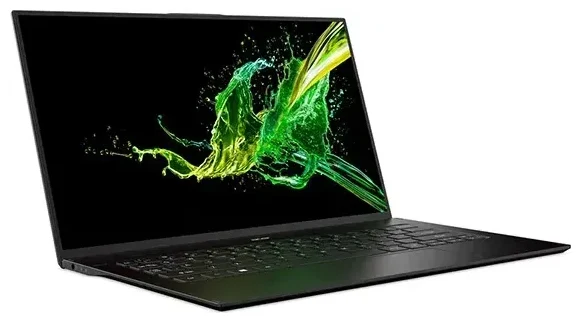
Does the ASUS Acer Swift 7 support eSIM?
ASUS Acer Swift 7 eSIM compatibility
No, the ASUS Acer Swift 7 does not support eSIM. This device is marketed under the Acer brand (not ASUS), and all variants of the Acer Swift 7 are Wi-Fi-only ultrabooks with no cellular modem, physical SIM slot, or eSIM capability. The Swift 7 was designed as an ultra-thin laptop focused on portability and relies exclusively on Wi-Fi or tethered connections for internet access.
If you're searching for a laptop with built-in cellular and eSIM support, you'll need to consider other models specifically marketed as "Wi-Fi + Cellular" or "LTE/5G" variants. Many business-class laptops from manufacturers like Lenovo ThinkPad X1 Carbon, HP Elite Dragonfly, and Microsoft Surface Pro offer optional cellular configurations with eSIM support, but the Acer Swift 7 is not among them.
Confirming connectivity specifications
If you're evaluating other Acer models or different laptop brands for eSIM support, always verify the exact specification sheet on the manufacturer's website. Look for terms like "WWAN," "LTE," "5G," or "cellular modem" in the connectivity specifications—these indicate the hardware required for eSIM functionality.
Your connectivity options without eSIM on the Acer Swift 7
Staying online with Wi-Fi and mobile hotspots
Since the Acer Swift 7 lacks cellular connectivity, you have several practical alternatives for internet access, especially when traveling:
- Connect to available Wi-Fi networks in hotels, cafes, airports, and coworking spaces.
- Use your smartphone as a mobile hotspot by enabling tethering in your phone's settings and connecting your laptop via Wi-Fi or USB.
- Carry a dedicated mobile hotspot device (Mi-Fi) with a local SIM card or eSIM for reliable data in areas without public Wi-Fi.
- Purchase a portable router that accepts physical SIM cards if you travel frequently to remote locations.
The mobile hotspot approach works particularly well if your phone supports eSIM—you can install a travel data plan on your phone and share the connection with your Swift 7. This setup gives you flexibility without needing cellular hardware in your laptop.
Consider eSIM-capable devices for direct connectivity
If built-in cellular is important for your workflow, you might want to explore laptops with dedicated LTE or 5G modems. These typically appear in premium business lines and 2-in-1 tablets. Before purchasing, confirm the specific SKU includes cellular hardware, as many manufacturers offer both Wi-Fi-only and cellular variants of the same model. You can check another device's eSIM compatibility to verify whether a particular laptop or tablet meets your needs.
Staying connected abroad with the Acer Swift 7
Travel internet solutions for Wi-Fi-only laptops
When traveling internationally with the Acer Swift 7, planning your connectivity strategy before departure helps you avoid expensive hotel Wi-Fi fees or unreliable public networks. The most practical approach is pairing your laptop with an eSIM-enabled smartphone or mobile hotspot.
If your phone supports eSIM, install a travel data plan before you fly. This gives you immediate internet access when you land, which you can then share with your Swift 7 through hotspot mode. You'll avoid roaming charges from your home carrier while maintaining a reliable connection for your laptop. Browse travel data options and browse eSIM plans covering over 200 destinations with flexible validity periods.
Portable hotspot devices as an alternative
Dedicated mobile hotspots offer another solution, particularly for group travel or extended trips. Many modern hotspot devices support eSIM alongside traditional SIM slots, letting you switch between carriers without swapping physical cards. These devices typically provide longer battery life than smartphone tethering and can connect multiple devices simultaneously, making them useful if you're traveling with tablets or other Wi-Fi-only equipment alongside your Acer Swift 7.
Tips & troubleshooting
Maximize your tethered connection quality
When using your Swift 7 with a mobile hotspot, position your phone or hotspot device close to your laptop for the strongest signal. Keep the hotspot device charged, as sharing data drains battery quickly—consider a portable power bank for all-day use. Enable battery saver mode on your phone if possible, and disconnect the laptop when you're not actively using internet to preserve data allowance.
Security considerations for public Wi-Fi
If you rely on public Wi-Fi networks with your Acer Swift 7, use a VPN to encrypt your connection and protect sensitive data. Avoid accessing banking or confidential work accounts on unsecured networks. When evaluating connectivity for future device purchases, remember that laptops with built-in cellular and eSIM offer more security than public Wi-Fi, as you control the entire connection path.
Evaluating your next laptop purchase
If you frequently work remotely or travel and find Wi-Fi-only connectivity limiting, prioritize cellular capability in your next laptop. Check whether the model offers eSIM support specifically—some older cellular laptops require physical nano-SIM cards only. Read detailed reviews (searching terms like "Acer Swift 7 eSIM review" won't yield results since this model lacks the feature, but similar searches for cellular-equipped models will). For current Acer offerings, the TravelMate series occasionally includes cellular options, though availability varies by region and configuration. The 14-inch TravelMate variants sometimes appear with WWAN modules, but you must verify the exact specification for your region before purchasing.
If you encounter confusion about laptop connectivity features, eSIM setup help resources can clarify which devices truly support embedded SIM technology versus those requiring physical cards or offering only Wi-Fi.








