 WhatsApp +44 7367 063273
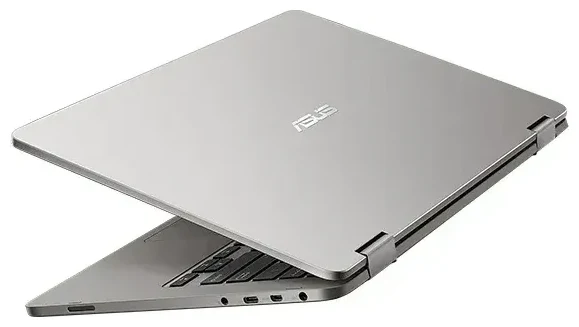
Does the ASUS Vivobook Flip 14 TP401NA support eSIM?
No, the ASUS Vivobook Flip 14 TP401NA does not support eSIM. This convertible laptop is a Wi-Fi-only device without any cellular connectivity options. It lacks both eSIM capability and a physical SIM card slot, meaning you cannot insert a traditional SIM card or activate an embedded SIM profile for mobile data.
ASUS Vivobook Flip 14 TP401NA eSIM compatibility
The TP401NA was released as an affordable 2-in-1 laptop focused on portability and basic computing tasks. ASUS designed it exclusively for Wi-Fi connectivity, which is standard for most consumer laptops in this price range. No variants or regional models of the TP401NA include cellular radios or SIM card support of any kind.
If you need mobile data connectivity on a laptop, you'll need to look at higher-end business or premium consumer models that specifically advertise LTE or 5G capability. Most cellular-capable laptops clearly state "LTE" or "Wi-Fi + Cellular" in their official specifications.
Your connectivity options without eSIM on the ASUS Vivobook Flip 14 TP401NA
Since the ASUS Vivobook Flip 14 TP401NA doesn't support eSIM or cellular connectivity, you have several practical alternatives for staying connected when Wi-Fi isn't available.
Connect through your phone's mobile hotspot
The most common solution is to use your smartphone as a mobile hotspot. Here's how to stay connected:
- Enable the mobile hotspot feature on your smartphone through your device settings
- Connect your TP401NA to the hotspot network using the password displayed on your phone
- Monitor your data usage, as tethering consumes your phone's data allowance
- Keep your phone charged, since hotspot mode drains battery quickly
Use a portable Wi-Fi hotspot device
If you frequently work away from Wi-Fi networks, consider investing in a dedicated portable hotspot device. These pocket-sized gadgets accept a physical SIM card and create a Wi-Fi network your laptop can join. Many travelers prefer this option because it doesn't drain their phone battery and can connect multiple devices simultaneously.
If your smartphone supports eSIM, you can browse eSIM plans for international travel and use your phone as a hotspot for your TP401NA abroad without roaming charges from your home carrier.
Staying connected abroad with the ASUS Vivobook Flip 14 TP401NA
When traveling internationally with your TP401NA, you'll rely on external devices or networks for internet access since the laptop itself has no cellular capability.
Travel connectivity strategies
Your best option is to use your smartphone with a travel data plan as a hotspot. If your phone supports eSIM technology, you can install a local data plan before you depart and avoid expensive roaming fees. This gives your laptop internet access through your phone's connection wherever you have mobile coverage.
Alternatively, rent or purchase a portable Wi-Fi hotspot at your destination. Many airports and electronics retailers offer these devices with prepaid data packages. You can also rely on hotel Wi-Fi, cafés, coworking spaces, and public hotspots, though be cautious about security when using public networks for sensitive work.
Consider an eSIM-capable device for your next upgrade
If built-in cellular connectivity is important for your workflow, look for laptops that explicitly advertise LTE or 5G capability. Business-oriented models from manufacturers like Lenovo ThinkPad X1 series, Dell Latitude, HP EliteBook, and Microsoft Surface Pro often include cellular options with eSIM support. Always verify the specific model's specifications, as cellular connectivity is typically reserved for premium configurations.
Tips and troubleshooting
While the TP401NA cannot connect directly to cellular networks, you can optimize your connectivity experience with these practical tips.
Maximize hotspot performance
When using your phone as a hotspot, position it close to your laptop for the strongest signal. Disable automatic cloud backups and large file syncs on your laptop to conserve your phone's data allowance. Most smartphones let you set data usage warnings or limits for your hotspot to prevent unexpected overages.
Verify device specifications before purchasing
If you're shopping for a new laptop and cellular connectivity matters to you, carefully review the manufacturer's official specifications. Look for terms like "LTE," "5G," "WWAN," "Wi-Fi + Cellular," or "SIM card slot" in the detailed specs. When in doubt, check another device's eSIM compatibility before making your purchase decision.
Secure your connections
Whether you're using a hotspot or public Wi-Fi with your TP401NA, consider using a VPN service to encrypt your internet traffic. This is especially important when accessing work email, banking, or other sensitive information over connections you don't control. Public Wi-Fi networks are convenient but can expose your data to security risks without proper protection.








