 WhatsApp +44 7367 063273
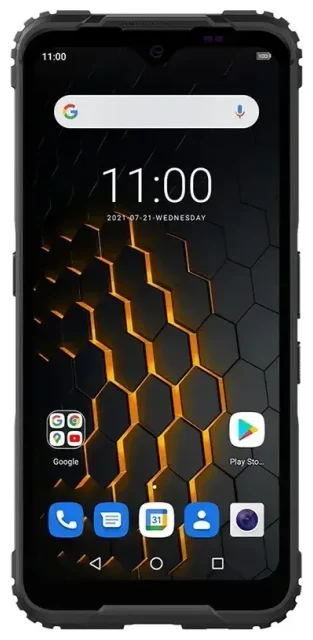
Does the HAMMER Blade 5g support eSIM?
No, the HAMMER Blade 5g does not support eSIM. This rugged smartphone relies exclusively on physical nano-SIM cards for connectivity. HAMMER designed the Blade 5g for durability and field use, prioritizing a traditional SIM approach over embedded digital profiles.
HAMMER Blade 5g eSIM compatibility
The HAMMER Blade 5g offers dual-SIM functionality using two physical nano-SIM card slots. You can run two separate phone numbers or carriers simultaneously—useful for separating work and personal lines or keeping a local SIM while traveling—but neither slot accepts an eSIM profile. All regional variants of the Blade 5g share this physical-SIM-only design.
If you need eSIM support in a rugged device, you'll need to look at other manufacturers' lineups. HAMMER's current catalog focuses on physical SIM reliability, which many field professionals prefer for its simplicity in harsh environments where software troubleshooting may be difficult.
Your options without eSIM on the HAMMER Blade 5g
Because the HAMMER Blade 5g doesn't support eSIM, you'll use traditional nano-SIM cards for all connectivity needs. The dual-SIM setup still gives you flexibility for managing two carriers or switching between networks.
Set up a nano-SIM card in your HAMMER Blade 5g
- Power off your HAMMER Blade 5g completely before handling SIM cards.
- Locate the SIM tray on the side of the device—use the included SIM ejection tool or a small paperclip to press the tray release.
- Place one or two nano-SIM cards in the tray slots, ensuring the gold contacts face down and the notched corner aligns correctly.
- Slide the tray back into the phone until it clicks securely.
- Power on the device and wait for network registration—this typically takes 30–60 seconds.
- Go to Settings > Network & internet > SIM cards to label each SIM and set your preferred line for calls, texts, and mobile data.
Choose an eSIM-capable rugged phone
If eSIM functionality is essential for your workflow, consider devices like the Samsung Galaxy XCover series or CAT phones that offer both rugged construction and eSIM support. You can check another device's eSIM compatibility before making a purchase decision. Modern flagship and mid-range smartphones increasingly include eSIM alongside traditional SIM slots, though rugged models have been slower to adopt the technology.
Staying connected abroad on the HAMMER Blade 5g
Without eSIM capability, you'll use physical travel SIM cards to avoid roaming charges when you take your HAMMER Blade 5g overseas. This traditional approach still works reliably—you just need to plan ahead to purchase or order a SIM before departure.
Use a travel SIM card for international data
Buy a local prepaid SIM at your destination airport or order a multi-country travel SIM online before you fly. Insert it into your Blade 5g's second SIM slot so you can keep your home number active in slot one for incoming calls and two-factor authentication texts. Set the travel SIM as your default data line in the SIM card settings menu to use local rates instead of expensive roaming fees.
The dual-SIM setup on the HAMMER Blade 5g makes this swap straightforward—you don't need to remove your primary SIM. If you frequently travel to multiple countries, consider devices with eSIM support, which let you switch carrier profiles digitally. Browse options and compare connectivity solutions at browse eSIM plans to see what's available for future trips.
Tips & troubleshooting
The HAMMER Blade 5g's physical-SIM design avoids many eSIM activation headaches, but you'll still encounter occasional connectivity issues with traditional cards.
Enable mobile data for the correct SIM
When you run two physical SIMs, make sure you've selected the right card for mobile data. Go to Settings > Network & internet > SIM cards and tap Mobile data to choose which line handles your internet connection. If you're using a travel SIM, remember to turn on data roaming for that specific SIM card—the setting is per-SIM, not global.
Clean the SIM tray and contacts
Rugged phones operate in dusty, wet environments where debris can interfere with SIM card contacts. If your HAMMER Blade 5g shows "No SIM" errors, power off the device, remove the tray, and gently wipe the gold contacts on both the SIM card and inside the tray slot with a soft, dry cloth. Make sure the tray is completely dry before reinserting—the Blade 5g is water-resistant, but moisture on the contacts can still cause connection problems.
Confirm your SIM is activated and compatible
New prepaid SIMs sometimes require activation through the carrier's website or app before they'll connect to the network. Check your travel SIM's instructions and verify it supports the 5G bands your HAMMER Blade 5g uses. If you continue to have issues, visit eSIM setup help for general troubleshooting resources, or contact your carrier's support team directly for SIM-specific problems.








