 WhatsApp +44 7367 063273
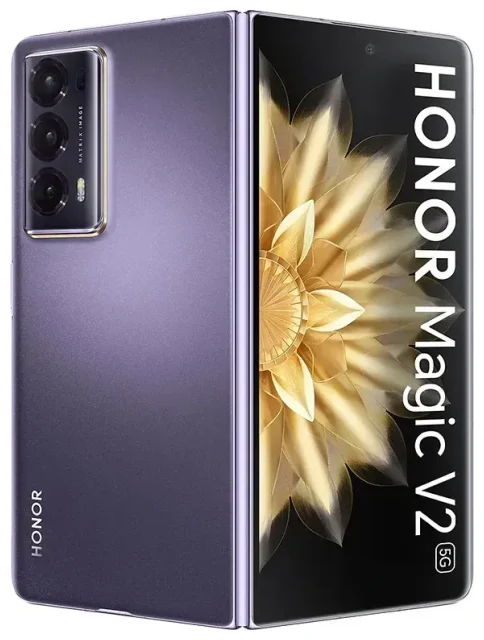
Does the Honor Magic V2 support eSIM?
Honor Magic V2 eSIM compatibility
The Honor Magic V2 supports eSIM, but only in specific regional variants. The global version of the Magic V2 includes eSIM functionality, while the Chinese domestic variant does not support eSIM technology. This distinction is important if you're purchasing from international sellers or grey-market sources.
Your Honor Magic V2 offers dual SIM capability when eSIM is available: you can run one physical nano-SIM alongside one eSIM simultaneously. This configuration lets you maintain your primary number on the physical card while adding a travel data plan via eSIM, or separate work and personal lines without carrying two devices.
Which Honor Magic V2 model do you have?
Check your device's model number in Settings → About phone to confirm you have the global version. If you purchased your Magic V2 outside mainland China through official channels in Europe, the UK, or other international markets, you almost certainly have the eSIM-capable variant. Online discussions on platforms like Reddit often highlight this regional split, so verify your specific model before purchasing an eSIM plan.
How to set up an eSIM on the Honor Magic V2
Install your eSIM profile in under two minutes
Setting up an eSIM on your Honor Magic V2 takes about sixty seconds once you have your QR code from your carrier or travel eSIM provider. You'll need a Wi-Fi connection for the installation process.
- Open Settings and tap on Mobile network or SIM & network settings
- Select SIM management, then tap Add mobile plan or the plus (+) icon
- Choose Use QR code when prompted for the installation method
- Position your Magic V2's camera to scan the QR code provided by your eSIM carrier
- Wait while the device downloads and installs the eSIM profile (typically 15–30 seconds)
- Label your new line with a recognizable name like "Travel Data" or "Work" when prompted
- Set your preferences for which SIM handles calls, texts, and mobile data
Configure your dual SIM settings
After installation, you can assign different roles to each SIM. Many travelers keep their home physical SIM active for incoming calls and two-factor authentication texts while routing all data through the eSIM to avoid roaming charges. The Magic V2's SIM management interface lets you toggle these settings independently for each line.
Using a travel eSIM on the Honor Magic V2
Stay connected abroad without roaming fees
A travel eSIM transforms how you handle data when traveling internationally with your Honor Magic V2. Instead of paying your home carrier's roaming rates or hunting for a physical SIM card at the airport, you install a data plan digitally before your flight. Once you land, your eSIM connects to local networks immediately.
Install your travel eSIM while you're still at home and connected to Wi-Fi. The profile sits dormant on your device until you reach your destination and enable it. You can browse eSIM plans for over 190 countries and regions, comparing coverage and data allowances for your specific destination.
Keep both lines active during your trip
The Magic V2's dual SIM capability means you don't lose access to your home number. Keep your primary SIM active for incoming calls from family or work, and receiving verification codes for banking apps, while the eSIM handles all your data needs for maps, rideshares, and messaging apps. This setup eliminates the anxiety of being unreachable while traveling.
Tips & troubleshooting
Enable data roaming for your eSIM line
Your Honor Magic V2 treats the eSIM as a separate line, which means data roaming must be enabled specifically for that profile. Go to Settings → Mobile network, select your eSIM line, and toggle Data roaming on. This isn't the same as your home carrier's expensive roaming—your eSIM operates on local networks at the plan's included rates.
If your eSIM shows "No Service" after landing, toggle Airplane mode on and off, or manually select a network by going to Settings → Mobile network → [your eSIM name] → Network operators. The device will scan for available carriers.
What to do when the QR code won't scan
Poor lighting or a damaged QR code can prevent scanning. If your Magic V2's camera struggles to read the code, look for a manual entry option in the Add mobile plan menu. Your eSIM provider should include an activation code (SM-DP+ address and activation code string) that you can type in directly. This method works identically to QR scanning but takes slightly longer.
If you need assistance with activation or compatibility questions about other devices, you can get eSIM setup help or check another device's eSIM compatibility before purchasing a plan.
Keep your physical SIM installed
Don't remove your home physical SIM when traveling. The Magic V2's dual SIM architecture lets both operate simultaneously, and keeping your primary number active ensures you receive important calls and SMS verification codes. You control which SIM carries data in your settings, so there's no risk of accidental roaming charges on your home line if you configure it correctly before departure.








