 WhatsApp +44 7367 063273
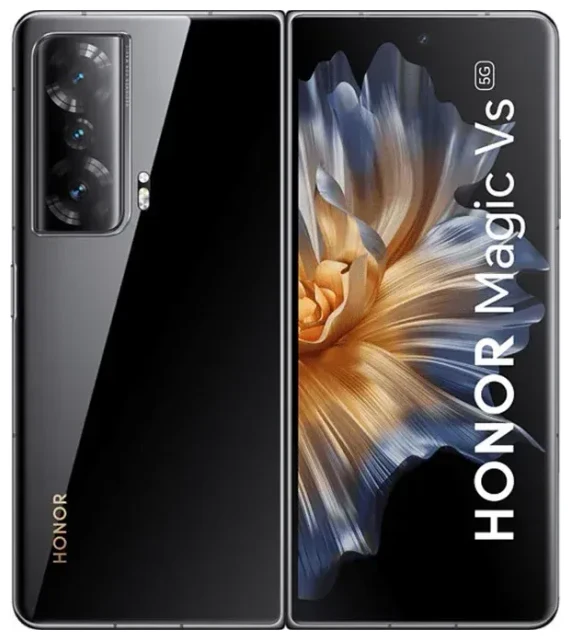
Does the Honor Magic Vs support eSIM?
No, the Honor Magic Vs does not support eSIM. This premium foldable smartphone relies exclusively on physical nano-SIM cards for cellular connectivity. All regional variants of the Magic Vs—including models sold in Europe, Asia, and other markets—lack eSIM capability.
Honor Magic Vs eSIM compatibility
The Magic Vs offers dual SIM functionality, but both slots require physical nano-SIM cards. You cannot use an eSIM profile on this device in any configuration. If you specifically need eSIM support for travel, work, or convenience, you'll need to consider a different device. You can check another device's eSIM compatibility to find a model that meets your requirements.
Dual physical SIM setup
While the Honor Magic Vs doesn't offer eSIM, it does support dual nano-SIM cards simultaneously. You can run two phone numbers at once—useful if you want to separate work and personal lines, or keep a home number active while using a local SIM abroad. Both slots support 5G connectivity where available.
Your options without eSIM on the Honor Magic Vs
Since the Honor Magic Vs doesn't support eSIM, you'll rely on traditional physical SIM cards for all connectivity. Here's how to make the most of your dual-SIM setup and stay connected wherever you travel.
Using physical SIM cards effectively
To activate cellular service on your Honor Magic Vs:
- Power off your device completely before handling SIM cards.
- Locate the SIM tray on the device edge and use the ejector tool to open it.
- Place your nano-SIM card(s) in the tray, aligning the notched corner correctly.
- Reinsert the tray firmly until it clicks into place.
- Power on the device and wait 30–60 seconds for network registration.
- Open Settings → Mobile network → SIM management to label each line and assign default settings for data, calls, and messages.
Which Honor phones support eSIM
If you're exploring whether Honor devices generally offer eSIM, the answer is largely no. Most Honor smartphones, including the Magic Vs, Magic V2, X9c, and 400 Lite, do not support eSIM technology. Honor has not widely adopted eSIM in its product lineup as of this writing. If eSIM is essential for your use case, consider manufacturers like Apple, Samsung, Google, or select models from other brands that have embraced the technology more broadly.
Using a travel SIM on the Honor Magic Vs
Traveling internationally with the Honor Magic Vs means purchasing a physical travel SIM or local SIM card at your destination. While you won't have the convenience of downloading an eSIM profile instantly, physical travel SIMs remain widely available and affordable.
Getting connected abroad without eSIM
You can buy prepaid travel SIM cards online before your trip or purchase local SIM cards at airports, convenience stores, and mobile shops when you arrive. Keep your home SIM in the second slot so you can still receive calls and text messages for two-factor authentication. Make sure your device is unlocked—contact your carrier if you're unsure.
If you travel frequently and want the flexibility to switch data plans without swapping physical cards, you might consider an eSIM-capable device for your next upgrade. You can browse eSIM plans to see the kind of instant connectivity options available on compatible devices.
Managing dual SIM for travel
With two physical SIM slots, you can keep your home number active in one slot and insert a local or travel SIM in the other. In Settings → Mobile network → SIM management, designate which SIM handles mobile data. Turn off data roaming on your home SIM to avoid unexpected charges, but leave it enabled for calls and SMS. This setup lets you use affordable local data while remaining reachable on your primary number.
Tips & troubleshooting
Even without eSIM, you can optimize your Honor Magic Vs connectivity and solve common SIM card issues.
SIM not detected or no service
If your Magic Vs doesn't recognize a SIM card, power off the device and reseat the card, ensuring it's properly aligned in the tray. Check that the SIM isn't damaged and that your device is unlocked if you're using a card from a different carrier. Sometimes a simple restart resolves registration issues. If problems persist, test the SIM in another device to rule out a faulty card.
Managing data and roaming settings
When using two SIM cards, explicitly choose which one carries your mobile data in Settings → Mobile network. If you're traveling with a local SIM, enable data roaming only on that line—not your home SIM—to prevent bill shock. You can also set each SIM's preferred network type (5G, 4G, 3G) individually to balance speed and battery life.
When you need eSIM support
If your work or travel habits demand eSIM functionality—instant plan switching, multiple regional profiles, or avoiding physical SIM logistics—the Honor Magic Vs isn't the right fit. Explore devices from manufacturers that prioritize eSIM, and visit our eSIM setup help resources to understand what you'll gain from an eSIM-capable phone or tablet.








