 WhatsApp +44 7367 063273
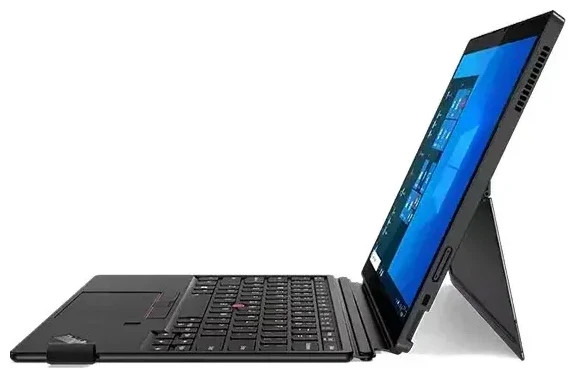
Does the Lenovo Thinkpad X12 Detachable support eSIM?
The Lenovo Thinkpad X12 Detachable supports eSIM, but only if you purchased a configuration with the optional WWAN (wireless wide-area network) cellular module. The base Wi-Fi-only models do not include eSIM capability. When you order the X12 Detachable with WWAN, you get an embedded eSIM alongside a nano-SIM card slot, giving you dual-SIM capability—you can use both a physical nano-SIM and an eSIM profile simultaneously.
Lenovo Thinkpad X12 Detachable eSIM compatibility by model
Both the first-generation Lenovo Thinkpad X12 Detachable (Gen 1) and the Gen 2 version offer eSIM support in their WWAN configurations. The cellular module options included Qualcomm Snapdragon X55 5G or Fibocom L860-GL-16 LTE modems, depending on the generation and region. If you're unsure whether your specific unit includes WWAN, check the original order specification sheet or look for a SIM tray on the device chassis. If you only bought a Wi-Fi model, the hardware for eSIM is not present, and you cannot add it later—the WWAN module must be factory-installed.
How to set up an eSIM on the Lenovo Thinkpad X12 Detachable
Setting up an eSIM on the Lenovo Thinkpad X12 Detachable takes about 60 seconds once you have your eSIM QR code from your carrier or travel-eSIM provider. You'll complete the process in Windows Settings.
Set up an eSIM in Windows Settings
- Open Settings from the Start menu and navigate to Network & Internet.
- Select Cellular from the left sidebar. If you don't see this option, your device does not have the WWAN module installed.
- Click Manage eSIM profiles or Add an eSIM.
- Choose Use a QR code and scan the QR code provided by your carrier or travel-eSIM provider. Alternatively, enter the activation code manually if you don't have a camera or scanner available.
- Windows will download and install the eSIM profile. This usually completes within 30–60 seconds.
- Once installed, label the eSIM profile (e.g., "Travel Data" or "Work SIM") so you can identify it easily when switching between profiles.
- Enable the eSIM profile by toggling it on in the Cellular settings, and configure it as your default data connection if needed.
If you plan to keep a physical nano-SIM in the slot for your home carrier, you can designate which line handles data and which handles voice or SMS, though most users on a Windows laptop use the cellular connection purely for data.
Using a travel eSIM on the Lenovo Thinkpad X12 Detachable
A travel eSIM is an efficient way to get mobile data abroad on your Lenovo Thinkpad X12 Detachable without paying roaming fees to your home carrier. Instead of hunting for a local SIM card at the airport or dealing with unreliable public Wi-Fi, you can install a travel eSIM profile before you depart and activate it when you land.
Install before you fly
Download and install the travel eSIM profile while you're still at home and connected to Wi-Fi. The profile sits dormant until you enable it, so you won't incur charges until you turn it on at your destination. Once you arrive, open Windows Settings, switch your active cellular profile to the travel eSIM, and you'll have local data rates within seconds. This setup works well for business travelers who need reliable connectivity in hotels, co-working spaces, or on the move. You can browse eSIM plans by destination to compare data packages before your trip.
Keep your home SIM (whether physical or eSIM) installed but set to "off" for data if you want to avoid roaming charges while still receiving calls or text messages for two-factor authentication. You can toggle between profiles in the Cellular settings whenever needed.
Tips & troubleshooting
Most eSIM installations on the Lenovo Thinkpad X12 Detachable are straightforward, but a few settings and common issues are worth knowing about.
Turn on data roaming for the eSIM line
After activating a travel eSIM, make sure data roaming is enabled for that specific profile in Windows Settings under Cellular. Even though you're using a local eSIM, Windows sometimes labels the connection as "roaming" because the profile is not tied to your device's home region. Toggle roaming on for the travel eSIM line; otherwise, you won't get a data connection.
Fix an eSIM that won't activate
If the QR code won't scan, check that your device's webcam or external camera has permission to access Windows. You can also manually enter the activation code (usually labeled SM-DP+ Address and Activation Code) in the eSIM setup wizard. If the profile downloads but doesn't connect, restart your Thinkpad X12 Detachable and toggle airplane mode on and off to refresh the cellular radio. In rare cases, a Windows update or WWAN firmware update resolves connectivity issues—check Lenovo's support site or Windows Update for the latest drivers. For persistent problems, you can get eSIM setup help or contact your eSIM provider to confirm the profile is correctly provisioned.
Remember that dual-SIM operation means you need to choose which profile is active for data at any given time. If you have both a physical SIM and an eSIM installed, verify in Network & Internet > Cellular which line is set as the default for mobile data. You can switch between them as often as you like without reinstalling profiles.
If you're evaluating other devices or want to confirm compatibility for a different laptop or tablet, you can check another device's eSIM compatibility before purchasing a travel plan.








