 WhatsApp +44 7367 063273
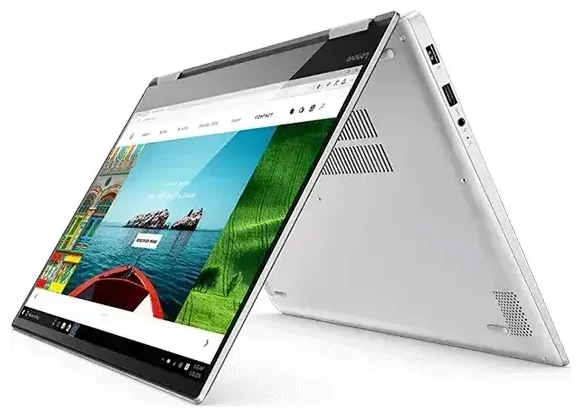
Does the Lenovo Yoga 720 2 In 1 Models support eSIM?
No, the Lenovo Yoga 720 2 In 1 Models does not support eSIM. This convertible laptop series, released between 2017 and 2018, was designed primarily as a Wi-Fi-only device. None of the Yoga 720 variants—whether the 13-inch, 15-inch, or regional configurations—include built-in cellular connectivity or eSIM capability. The device lacks the necessary LTE/5G modem hardware and eSIM chip required for mobile data.
Lenovo Yoga 720 2 In 1 Models eSIM compatibility
Because the Yoga 720 relies exclusively on Wi-Fi for internet connectivity, you won't find a SIM tray, eSIM profile management in Windows settings, or any cellular radio. If you're searching for "does the Lenovo Yoga 720 2 In 1 Models have eSIM," the definitive answer is no across all model numbers and markets. Lenovo did not offer a cellular-enabled configuration of this generation.
If you need mobile data on the go, you'll need to use external solutions like mobile hotspots, USB dongles, or tethering from your smartphone. For future purchases, consider newer Lenovo models that do include optional LTE or 5G with eSIM support, or check another device's eSIM compatibility before buying.
Your connectivity options without eSIM on the Lenovo Yoga 720 2 In 1 Models
How to get internet on your Yoga 720
Since the Lenovo Yoga 720 2 In 1 Models lacks cellular hardware, you have several practical alternatives to stay connected when Wi-Fi isn't available:
- Smartphone tethering: Enable the mobile hotspot feature on your phone and connect your Yoga 720 via Wi-Fi. This uses your phone's data plan and works anywhere you have cellular coverage.
- Portable Wi-Fi hotspot: Purchase or rent a dedicated mobile hotspot device (sometimes called a MiFi). Insert a local SIM card or travel SIM into the hotspot, then connect your laptop to its Wi-Fi network.
- USB cellular modem: Plug a USB LTE dongle into your Yoga 720's USB port. These modems accept a standard or nano SIM card and provide mobile data directly to your laptop.
- Public and hotel Wi-Fi: Connect to available Wi-Fi networks at cafes, airports, hotels, and coworking spaces. Use a VPN for security on public networks.
Choosing an eSIM-capable laptop instead
If built-in cellular and eSIM capability are priorities for your workflow, consider upgrading to a newer Lenovo model. The Yoga 9i, ThinkPad X1 Carbon (Gen 9 and later), and certain ThinkPad X13 configurations offer optional 5G or LTE with eSIM support. These devices let you activate mobile data plans directly without external hardware.
Staying connected abroad on the Lenovo Yoga 720 2 In 1 Models
Travel connectivity solutions for Wi-Fi-only laptops
When you're traveling internationally with the Yoga 720, smartphone tethering often provides the simplest solution. If your phone supports eSIM, you can install a travel data plan before your trip and use your phone as a hotspot for your laptop. This approach avoids expensive roaming fees on your home carrier and gives your Yoga 720 internet access wherever your phone has coverage.
To set this up, browse eSIM plans for your destination country or region on your eSIM-capable smartphone. Install the travel eSIM profile while you're still at home and connected to Wi-Fi. Once you land, activate the eSIM data plan on your phone, enable the mobile hotspot feature, and connect your Lenovo Yoga 720 to your phone's Wi-Fi network. You'll have data for your laptop without hunting for coffee shop Wi-Fi or paying hotel internet fees.
Alternatively, rent or purchase a portable Wi-Fi hotspot for your trip. Many airports and travel kiosks offer these devices with prepaid data bundles. Insert a local SIM card, and you can connect your Yoga 720 and other devices simultaneously—useful if you're traveling with family or colleagues who also need internet access.
Tips & troubleshooting
Maximize battery life when tethering
Using your smartphone as a hotspot drains its battery quickly. Bring a portable power bank or keep your phone plugged in while tethering to your Yoga 720. On your laptop, close unnecessary browser tabs and applications to reduce data usage and extend your phone's battery.
Verify tethering is included in your plan
Some mobile carriers restrict or charge extra for hotspot/tethering features. Before relying on smartphone tethering abroad, confirm that your travel eSIM plan (or your home plan, if roaming) permits tethering. Most dedicated travel eSIM plans allow hotspot use without additional fees.
Secure your connection
When using public Wi-Fi on your Yoga 720, always connect through a VPN to encrypt your traffic and protect sensitive information. If you're tethering from your phone, your connection is already more secure than open public networks, but a VPN adds an extra layer of privacy.
Consider future-proof alternatives
If you frequently work remotely or travel, investing in a laptop with built-in cellular saves you from juggling dongles and hotspots. For immediate needs, USB LTE modems are inexpensive and accept standard SIM cards, giving your Yoga 720 mobile data without replacing the entire device. You can find eSIM setup help for smartphones and tablets that do support the technology.








