 WhatsApp +44 7367 063273
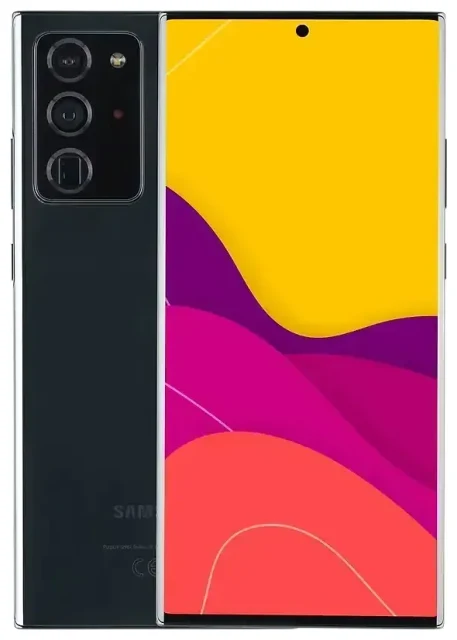
Does the Samsung Galaxy Note 20 5G support eSIM?
The Samsung Galaxy Note 20 5G supports eSIM, but only on select international models. US variants of the Galaxy Note 20 5G do not include eSIM functionality. This regional variation is critical to understand before you attempt Samsung Note 20 eSIM activation or purchase a travel eSIM plan.
Samsung Galaxy Note 20 5G eSIM compatibility by region
International models sold in Europe, Asia, and other markets typically support eSIM. The model numbers SM-N981B/DS (international dual SIM) and SM-N981U1 (US unlocked) have different capabilities. The SM-N981U and carrier-locked US variants from Verizon, AT&T, T-Mobile, and others do not support eSIM at all—they use only physical nano-SIM cards.
If you own a Galaxy Note 20 5G purchased in South Korea, be aware that Korean versions often have eSIM disabled or restricted due to local regulations, even if the hardware technically supports it. The Note 20 Ultra Korean version eSIM availability follows similar restrictions.
Dual SIM configuration: eSIM plus physical SIM
On compatible international models, the Samsung Galaxy Note 20 5G supports dual SIM through one eSIM and one physical nano-SIM simultaneously. You can keep your home carrier on the physical SIM while adding a travel eSIM for data abroad. The device does not support dual eSIM—you must use the hybrid setup. This makes it straightforward to manage a primary line for calls and texts alongside a secondary data-only eSIM.
To confirm whether your specific device supports eSIM, check your model number in Settings > About phone > Model number. If you see "Note 20 Ultra eSIM not showing" in your settings menu, your variant likely does not support the feature. When in doubt, consult Samsung's official spec sheet for your exact model and region—do not assume compatibility based solely on the Note 20 name.
How to set up an eSIM on the Samsung Galaxy Note 20 5G
Setting up an eSIM on compatible Samsung Galaxy Note 20 5G models takes about 60 seconds once you have your QR code from your eSIM provider. You'll need a stable Wi-Fi connection during installation.
Set up an eSIM in Settings
- Open Settings and tap Connections.
- Tap SIM card manager (or SIM manager depending on your software version).
- Tap Add mobile plan or Add eSIM.
- Tap Scan carrier QR code and point your camera at the QR code provided by your eSIM carrier.
- Wait while the eSIM profile downloads and installs—this usually takes 30–60 seconds.
- Tap Done when the installation completes.
- Label your new eSIM line (e.g., "Travel Data" or "Work") to distinguish it from your physical SIM.
- Choose which SIM to use for mobile data, calls, and texts in SIM card manager.
Galaxy Note 20 5G eSIM activation tips
If your eSIM provider sends an activation code instead of a QR code, select Enter activation code manually in step 4 and type the SM-DP+ address and activation code. Some carriers email both options. Make sure your Galaxy Note 20 5G is connected to Wi-Fi throughout the process—cellular data alone may cause installation errors.
After installation, you'll see both SIM lines listed in SIM card manager. Toggle each one on or off, assign default roles (calls, texts, data), and manage data usage per line. This flexibility makes the Samsung Galaxy Note 20 5G a practical dual-SIM device for travelers and professionals managing multiple numbers.
Using a travel eSIM on the Samsung Galaxy Note 20 5G
A travel eSIM gives you affordable mobile data abroad without roaming charges from your home carrier. Instead of hunting for a local SIM card at the airport or paying steep international roaming fees, you can install a regional or country-specific eSIM plan before you leave home.
Install your travel eSIM before departure
Purchase and install your travel eSIM while you're still connected to Wi-Fi at home. The eSIM profile will sit inactive on your Galaxy Note 20 5G until you arrive at your destination. Once you land, turn on the eSIM line in SIM card manager, enable data roaming for that line, and you'll connect immediately. Your physical SIM stays active for calls and texts from your home number, or you can disable it entirely to avoid accidental roaming charges.
Travel eSIMs typically offer data-only plans, which is ideal for navigation, messaging apps, and web browsing. You can still receive calls and SMS on your home SIM (set to calls/texts only, data off) while the eSIM handles all internet traffic. This setup keeps you reachable without surprise bills. Browse eSIM plans for your destination to compare coverage and data allowances before you travel.
Popular travel eSIM providers support the Samsung Galaxy Note 20 5G on compatible international models. Always verify your device model before purchase—if you have a US variant, you'll need a physical travel SIM card instead, as eSIM is not available on those models.
Tips and troubleshooting
Turn on data roaming for your eSIM line
After installing a travel eSIM, you must enable data roaming specifically for that eSIM line. Go to Settings > Connections > Mobile networks, select your eSIM, and toggle Data roaming on. This is not the same as your home SIM's roaming setting—each line has independent roaming controls. Without this step, your eSIM won't connect even if it's activated.
Keep your home SIM active for calls and two-factor authentication
Leave your physical SIM enabled for voice calls and SMS, especially if you rely on text-message two-factor authentication for banking or email. Set your eSIM as the default for mobile data only. This way, you receive important texts and calls on your regular number while browsing, streaming, and navigating on the travel eSIM's data. You control which SIM handles which task in SIM card manager.
Fix an eSIM that won't activate
If the QR code won't scan, ensure your screen brightness is high and there's no glare on the code. Try displaying the QR code on a second device or printing it on paper. If scanning still fails, use the manual activation code option. Restart your Galaxy Note 20 5G if the eSIM profile downloads but won't activate—a reboot often resolves activation errors.
If you see no eSIM option at all in SIM card manager, your model does not support eSIM. US variants and some Korean models lack this feature entirely. Check another device's eSIM compatibility if you're considering a different Samsung phone. For persistent issues on a compatible model, contact your eSIM provider or visit eSIM setup help for step-by-step troubleshooting.
Remember that the Galaxy Note 20 5G does not support dual eSIM profiles simultaneously—you can only use one eSIM plus one physical SIM. If you need to switch eSIM plans, delete the old profile in SIM card manager before installing a new one.








