 WhatsApp +44 7367 063273
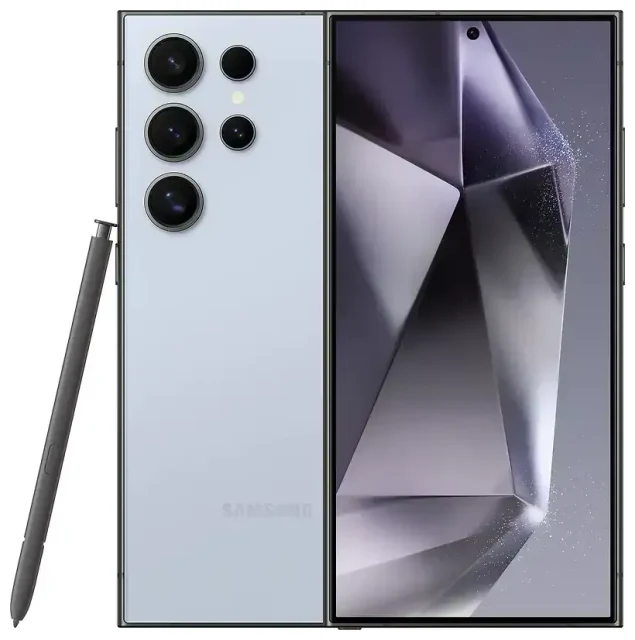
Does the Samsung Galaxy S24 Ultra support eSIM?
Samsung Galaxy S24 Ultra eSIM compatibility
Yes, the Samsung Galaxy S24 Ultra supports eSIM. All variants of the Samsung Galaxy S24 Ultra—regardless of region or carrier—ship with eSIM capability built in. You can use the device with a single eSIM, dual eSIMs, or combine one eSIM with the physical nano-SIM card slot for dual-SIM functionality.
Dual SIM options on the Samsung Galaxy S24 Ultra
The Samsung Galaxy S24 Ultra offers flexible dual-SIM configurations. You can run two eSIMs simultaneously, or pair one eSIM with the physical SIM tray. This makes the device ideal for separating work and personal lines, or keeping your home number active while using a travel eSIM abroad. The phone supports multiple eSIM profiles stored in memory, though only two lines can be active at once.
How to set up an eSIM on the Samsung Galaxy S24 Ultra
Samsung Galaxy S24 Ultra eSIM activation steps
Setting up an eSIM on your Samsung Galaxy S24 Ultra takes about a minute once you have your QR code from your carrier or eSIM provider. Make sure you have a stable Wi-Fi connection before you begin.
- Open Settings and tap Connections.
- Tap SIM manager (or SIM card manager).
- Select Add eSIM or Add mobile plan.
- Tap Scan QR code and point your camera at the QR code provided by your carrier or eSIM service.
- Confirm the plan details and tap Add.
- Wait while the Samsung Galaxy S24 Ultra downloads and installs the eSIM profile—this usually completes in under 60 seconds.
- Label your new line (for example, "Travel" or "Work") so you can easily identify it.
- Choose which line to use for mobile data, calls, and messages in the SIM manager settings.
Alternative activation methods
If your provider supplies an activation code instead of a QR code, select Enter activation code in step 4 and type or paste the code manually. Some carriers also offer app-based eSIM installation; follow the in-app prompts, and the profile will transfer to your Samsung Galaxy S24 Ultra automatically.
Using a travel eSIM on the Samsung Galaxy S24 Ultra
Stay connected abroad without roaming fees
A travel eSIM is the simplest way to get mobile data when you land overseas. Instead of paying roaming charges on your home plan or hunting for a local SIM card at the airport, you install a data-only eSIM before you fly. The Samsung Galaxy S24 Ultra will use the travel eSIM for internet access while your primary line stays active for calls and text messages.
Purchase and install your travel eSIM while you still have Wi-Fi at home or at the airport. Once the profile is on your device, you can activate it as soon as you arrive—just toggle on data roaming for the eSIM line in SIM manager. You'll have instant access to maps, messaging apps, and email without switching SIM cards. Browse eSIM plans for your destination and compare coverage and data allowances before you book your trip.
Tips and troubleshooting
Enable data roaming for your eSIM line
Many travelers forget this step: even though your eSIM is installed, you must turn on data roaming for that specific line. Open Settings → Connections → SIM manager, tap your eSIM, then toggle Data roaming on. Your Samsung Galaxy S24 Ultra will now connect to the eSIM provider's partner networks abroad.
Keep your home SIM active for calls and two-factor authentication
Set your travel eSIM as the default for mobile data, but leave your home line enabled for voice calls and SMS. This way, you'll receive verification codes and important calls without missing anything. In SIM manager, assign mobile data to the eSIM and calls/messages to your primary SIM, or choose "Ask every time" if you prefer manual control.
Fix an eSIM that won't activate
If your QR code won't scan, check that your camera lens is clean and the lighting is adequate. You can also screenshot or save the QR code, then select Scan from gallery in the eSIM setup menu. If the Samsung Galaxy S24 Ultra displays an error during installation, restart the device and try again—occasionally a quick reboot clears temporary network glitches. Still stuck? Visit eSIM setup help or contact your eSIM provider's support team with your order details.
Verify compatibility for less common scenarios
The Samsung Galaxy S24 Ultra supports eSIM universally, but if you're activating a line with a smaller regional carrier or an enterprise mobile plan, confirm with your IT department or carrier that they provision eSIM profiles. Most major operators worldwide now support eSIM activation on Samsung devices. You can also check another device's eSIM compatibility if you're comparing models or helping a friend set up their phone.








