 WhatsApp +44 7367 063273
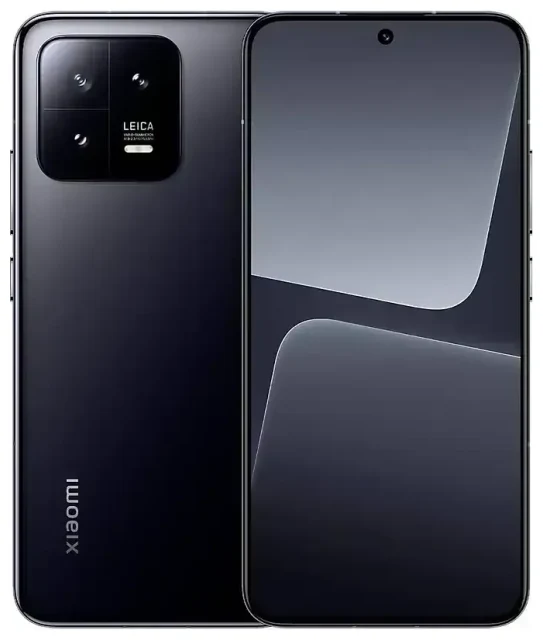
Does the Xiaomi 13 support eSIM?
Xiaomi 13 eSIM compatibility by region
The answer depends on which Xiaomi 13 variant you own. The Chinese mainland version of the Xiaomi 13 supports eSIM, but most global and international models—including those sold in Europe, India, and other markets—ship with dual physical nano-SIM slots and no eSIM capability.
If you purchased your Xiaomi 13 outside mainland China, your device very likely does not support eSIM. Xiaomi typically reserves eSIM functionality for devices sold in the Chinese market, where carrier infrastructure and regulatory requirements differ.
Dual SIM configuration on eSIM-capable models
On the Chinese Xiaomi 13 that does include eSIM, you can use one eSIM and one physical nano-SIM simultaneously for dual SIM operation. The device does not support dual eSIM; you're limited to a single eSIM profile active at a time alongside the physical card.
Because eSIM support is region-specific and not widely documented in English-language spec sheets, confirm your exact model's capabilities by checking your device's IMEI with your carrier or reviewing the original packaging and documentation. If you're uncertain, navigate to Settings > SIM cards & mobile networks on your Xiaomi 13—if you see an option to "Add eSIM" or "Mobile plan," your model supports it. If not, you'll only see slots for physical SIMs.
How to set up an eSIM on the Xiaomi 13
Set up an eSIM in Settings
If you've confirmed your Xiaomi 13 supports eSIM (Chinese variant), follow these steps to install an eSIM profile. The process takes about sixty seconds once you have your QR code from your carrier or eSIM provider.
- Open Settings and tap SIM cards & mobile networks.
- Tap Add mobile plan or the "+" icon to begin adding an eSIM.
- Choose Scan QR code and point your camera at the QR code provided by your eSIM provider.
- Tap Add to download and install the eSIM profile. Your device will connect to the network to activate it.
- Once installed, label the eSIM line with a recognizable name—"Travel," "Work," or the carrier name—to distinguish it from your physical SIM.
- Choose which line to use for mobile data, calls, and messages in SIM cards & mobile networks. You can switch your data line anytime.
If you don't have a QR code, some eSIM providers offer activation codes you can enter manually. Look for an Enter details manually or similar option in step 3, then input the SM-DP+ address and activation code exactly as provided.
What if your Xiaomi 13 doesn't support eSIM?
Most global Xiaomi 13 devices use dual physical nano-SIM slots. You'll need to insert a physical travel SIM card or use your home carrier's roaming service when traveling. If you want eSIM functionality, consider devices with confirmed global eSIM support—you can check another device's eSIM compatibility before purchasing.
Using a travel eSIM on the Xiaomi 13
Skip roaming fees with a travel eSIM
If your Xiaomi 13 supports eSIM, a travel eSIM is the easiest way to get mobile data abroad without paying international roaming charges. You buy a data plan for your destination, install the eSIM profile before you leave, and activate it when you land. No need to hunt for a SIM card shop at the airport or swap out your physical SIM.
Your home SIM stays in the physical slot, so you can still receive calls and text messages on your usual number. Set the travel eSIM as your data line, and you'll have local data rates without losing access to your primary number for two-factor authentication codes or important calls.
Install your eSIM before you fly
Download and install your travel eSIM while you're still connected to Wi-Fi at home. Most eSIM plans activate only when your device connects to the destination network, so installing early won't waste your data allowance. When you arrive, turn on data roaming for the eSIM line, and you'll connect automatically. Browse eSIM plans for your next destination and install the profile a day or two before departure.
For global Xiaomi 13 models without eSIM, you'll need a physical travel SIM card or an international roaming add-on from your home carrier instead.
Tips and troubleshooting
Turn on data roaming for your eSIM line
A common mistake: forgetting to enable data roaming for the eSIM. Even though it's a local plan in your destination country, your Xiaomi 13 may treat it as "roaming" because it's not your default line. Go to Settings > SIM cards & mobile networks, select your eSIM, and toggle Data roaming on. Then set the eSIM as your preferred data line.
Keep your home SIM active for calls and texts
Leave your physical SIM in the slot and set it for voice calls and SMS. You'll receive two-factor authentication codes and calls on your home number while using the eSIM for data. Check your home carrier's policies—many allow you to receive calls and texts abroad without extra charges, even if you don't use their data roaming.
What to do if the QR code won't scan
If your camera won't focus or recognize the QR code, increase your screen brightness (if scanning from another device) or try manual entry. Your eSIM provider should include an SM-DP+ address and activation code in the same email or account portal as the QR code. Tap Enter details manually during setup and input the information carefully—one typo will prevent activation. If the eSIM still won't install, restart your Xiaomi 13 and try again, or contact eSIM setup help for guidance.
Remember: if you have a global Xiaomi 13 model, the absence of an "Add eSIM" option confirms your device doesn't support eSIM. You'll need a physical SIM for travel connectivity.








