 WhatsApp +44 7367 063273
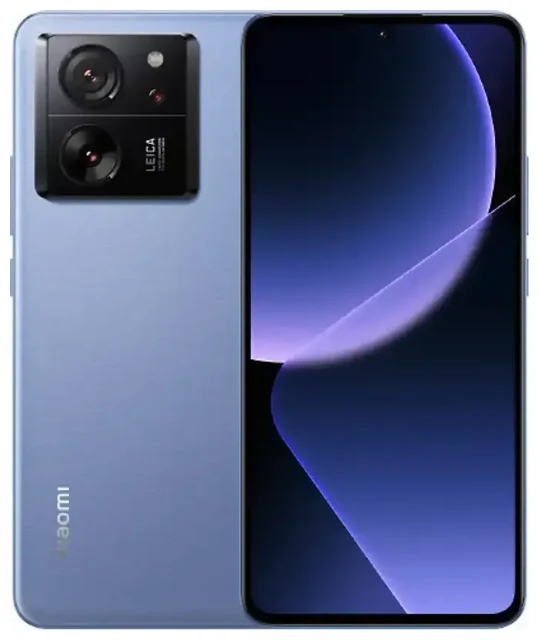
Does the Xiaomi 13T support eSIM?
Yes, the Xiaomi 13T supports eSIM on most global variants. Xiaomi included eSIM functionality in the 13T series, making it one of their more internationally connected mid-range offerings.
Xiaomi 13T eSIM compatibility by region
The eSIM feature is available on the Xiaomi 13T models sold in Europe, the Middle East, and many Asian markets. However, some regional variants—particularly those distributed in certain markets where eSIM adoption is lower—may ship with dual physical nano-SIM slots instead. Before purchasing, verify the specific model number and check the retail listing or manufacturer's specification sheet to confirm eSIM support for your region.
Dual SIM functionality on the Xiaomi 13T
The Xiaomi 13T supports dual SIM in a hybrid configuration: one physical nano-SIM slot plus eSIM. You can run both simultaneously, letting you keep your primary number on the physical SIM while adding a travel eSIM for data abroad. The device does not support dual eSIM mode—you'll need at least one physical SIM installed to use the eSIM alongside it in most configurations.
How to set up an eSIM on the Xiaomi 13T
Setting up an eSIM on your Xiaomi 13T takes about 60 seconds once you have your QR code from your carrier or travel eSIM provider. Follow these steps to activate your eSIM profile.
eSIM activation steps in Settings
- Open Settings and tap SIM cards & mobile networks.
- Select Add eSIM or eSIM (wording may vary slightly depending on your MIUI version).
- Tap Download a SIM instead? or Use QR code.
- Scan the QR code provided by your eSIM carrier using your camera. Ensure you have a stable Wi-Fi connection during installation.
- Wait for the eSIM profile to download and install—this usually takes 30–60 seconds.
- Once installed, label the line (e.g., "Travel" or "Work") so you can easily identify it.
- Choose which SIM to use for mobile data, calls, and SMS in the SIM settings menu.
Managing your eSIM and physical SIM
After activation, you can toggle each line on or off, assign default roles (which SIM handles data, which handles voice), and monitor usage independently. The Xiaomi 13T lets you switch your data line without removing either SIM, giving you flexibility when traveling or managing work and personal numbers.
Using a travel eSIM on the Xiaomi 13T
A travel eSIM is the easiest way to stay connected abroad without paying roaming fees from your home carrier. You can install the eSIM profile before you fly, activate it on arrival, and get local data rates instantly—no need to hunt for a SIM card shop or swap out your physical SIM.
Why a travel eSIM makes sense for the Xiaomi 13T
Because the Xiaomi 13T supports eSIM alongside your physical SIM, you can keep your home number active for calls and two-factor authentication while routing data through a local eSIM plan. This dual-SIM setup means you won't miss important messages or verification codes, and you'll avoid surprise roaming charges. Browse prepaid plans covering 200+ destinations and browse eSIM plans that fit your trip length and data needs.
Install your travel eSIM while you still have Wi-Fi at home or at the airport. Once you land, turn on the eSIM line, enable data roaming for that profile, and you're online. No registration desk, no passport photocopies, no language barriers.
Tips & troubleshooting
Most eSIM activations on the Xiaomi 13T go smoothly, but a few settings tweaks can save you frustration if something doesn't work as expected.
Turn on data roaming for your eSIM line
After installing a travel eSIM, head back into Settings > SIM cards & mobile networks, select your eSIM, and toggle Data roaming on. This is essential—even though the eSIM is "local" to the country you're visiting, the Xiaomi 13T may still treat it as roaming. Don't worry; you won't incur roaming charges because you're using a local data plan.
Keep your home SIM active for calls and texts
Set your physical SIM as the default for voice calls and SMS so you can receive two-factor codes and important calls on your regular number. Assign the eSIM as your data line. This configuration keeps you reachable while routing all internet traffic through the cheaper local data plan.
What to do if the QR code won't scan
If the camera struggles to read the QR code, try adjusting the screen brightness on the device displaying the code, or print the QR code on paper. Alternatively, many carriers provide a manual activation code—look for Enter code manually or Activation code in the eSIM menu and type in the SM-DP+ address and activation string. If you're still stuck, eSIM setup help can walk you through manual entry or other troubleshooting steps.
Verify eSIM support before you buy
If you're shopping for a Xiaomi 13T specifically for eSIM capability, confirm the feature with the retailer or check the printed box specifications. Some markets received hardware variants without eSIM, so it's worth double-checking the model number against Xiaomi's official spec sheet. You can also check another device's eSIM compatibility if you're comparing models or considering the Xiaomi 13T Pro.








