 WhatsApp +44 7367 063273
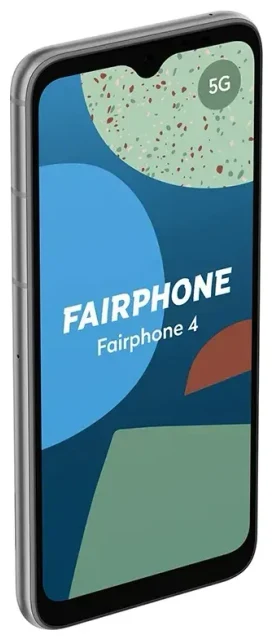
Does the Fairphone 4 support eSIM?
Fairphone 4 eSIM compatibility
No, the Fairphone 4 does not support eSIM technology. All variants of the Fairphone 4—regardless of region or model number—rely exclusively on physical nano-SIM cards for cellular connectivity. This applies to every unit sold worldwide.
The Fairphone 4 does offer dual SIM capability, but both slots accept only physical nano-SIM cards. You can run two phone numbers simultaneously using two physical SIMs, but you cannot use an eSIM in place of either slot. If eSIM support is essential for your needs, you'll need to consider a different device—you can check another device's eSIM compatibility before purchasing.
Why the Fairphone 4 uses physical SIMs
Fairphone prioritizes repairability and longevity. Physical SIM slots align with the modular design philosophy: they're user-accessible, easy to swap, and don't require software provisioning. The trade-off is that you won't have the instant digital switching that eSIM offers.
Your connectivity options without eSIM on the Fairphone 4
Using physical SIM cards on the Fairphone 4
Since the Fairphone 4 doesn't support eSIM, you'll use traditional nano-SIM cards. The device has two nano-SIM slots, so you can keep your home carrier in one slot and add a second SIM when you need it—whether that's a work line or a travel SIM for abroad.
How to install and activate a physical SIM
Setting up a physical SIM on your Fairphone 4 is straightforward:
- Power off your Fairphone 4 completely.
- Locate the SIM tray on the left edge of the device.
- Use the included ejector tool (or a paperclip) to gently push into the small hole and release the tray.
- Place your nano-SIM card(s) into the tray slots, aligning the cut corner.
- Slide the tray back into the phone until it clicks securely.
- Power on your device and enter your PIN when prompted.
- Go to Settings > Network & internet > SIMs to label each SIM and assign which one handles mobile data, calls, and texts.
The entire process takes about two minutes. If you're switching between carriers, make sure the new SIM is activated with your provider before inserting it.
Staying connected abroad on the Fairphone 4
Travel SIM cards for the Fairphone 4
Without eSIM support, your best option for international travel is a physical travel or local SIM card. You can buy these from airport kiosks, local carrier stores, or order prepaid international SIMs online before you leave. Insert the travel SIM into your second slot, and you'll have local data rates without paying roaming fees on your home carrier.
The downside: you need to handle a physical card, and you can't install it instantly from your phone. If you lose or damage the SIM while traveling, you'll need to find a local shop for a replacement.
Consider an eSIM-capable device for travel flexibility
Many travelers who frequently cross borders prefer devices with eSIM support because you can browse eSIM plans and install them in seconds, even after you've landed. You're not hunting for a SIM vendor or waiting in line at a carrier store. If you travel often and want that convenience, look at phones like recent Samsung Galaxy models, Google Pixel devices, or iPhones from the XS onward—all of which combine eSIM with a physical SIM slot for dual connectivity.
Tips and troubleshooting
Managing two physical SIMs on the Fairphone 4
When you're running two nano-SIMs, go into Settings > Network & internet > SIMs and assign one for mobile data. This is especially important when traveling: set your travel SIM as the data line to avoid roaming charges, but keep your home SIM active so you can receive calls and text messages (including two-factor authentication codes). Most carriers don't charge for incoming texts when roaming, but confirm your plan's terms.
What to do if your SIM isn't recognized
If your Fairphone 4 doesn't detect a SIM card, first power off and reseat the card—make sure it's flush in the tray and the tray clicks fully into place. Check that the SIM is activated with your carrier. If the issue persists, test the SIM in another unlocked phone to rule out a faulty card. For deeper setup help, visit our eSIM setup help page, which also covers general SIM troubleshooting.
Alternatives if you need eSIM capability
If eSIM is non-negotiable—perhaps your work requires instant carrier switching, or you travel constantly—you'll need a different handset. The Fairphone 5, released after the Fairphone 4, does include eSIM support. Other mid-range Android phones with eSIM include the Samsung Galaxy A54, Google Pixel 7a, and Motorola Razr models. iPhones from the XS generation onward all support eSIM, and US iPhone 14 and 15 models are eSIM-only with no physical slot at all.








