 WhatsApp +44 7367 063273
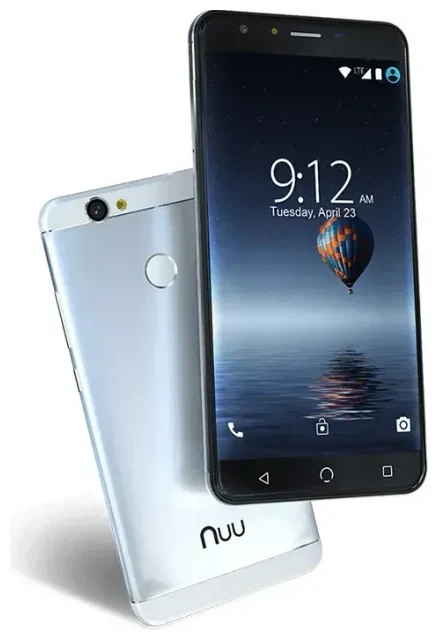
Does the Nuu Mobile X5 support eSIM?
Nuu Mobile X5 eSIM compatibility
No, the Nuu Mobile X5 does not support eSIM technology. This budget-friendly Android device relies exclusively on physical nano-SIM cards for cellular connectivity. All variants of the Nuu Mobile X5 released to date use traditional SIM card slots only.
The Nuu Mobile X5 does offer dual SIM capability, but both slots require physical nano-SIM cards. You can run two separate phone numbers or carriers simultaneously, which gives you flexibility for separating work and personal lines or using a local SIM while traveling—you just can't use eSIM technology to do it.
Why the Nuu Mobile X5 doesn't have eSIM
eSIM support typically appears in mid-range to flagship devices due to the hardware and licensing requirements involved. As an entry-level smartphone, the Nuu Mobile X5 focuses on affordability and basic smartphone features rather than newer connectivity technologies. If you need eSIM functionality, you'll want to check another device's eSIM compatibility before purchasing.
Your options without eSIM on the Nuu Mobile X5
Using physical SIM cards on the Nuu Mobile X5
Since the Nuu Mobile X5 doesn't support eSIM, you'll use traditional nano-SIM cards for all connectivity. The device accepts two physical SIM cards, giving you dual-SIM functionality without digital profiles. Here's how to set up your SIM cards:
- Power off your Nuu Mobile X5 completely before handling SIM cards.
- Locate the SIM tray on the side of the device and use the ejection tool (or a paperclip) to open it.
- Place your nano-SIM card(s) in the designated slots, ensuring the gold contacts face down and the notched corner aligns correctly.
- Gently push the tray back into the device until it clicks securely.
- Power on your phone and wait 30–60 seconds for the network to register.
- Go to Settings > Network & Internet > SIM cards to label each line and set data/call preferences.
- Enter your PIN if prompted, and configure APN settings if your carrier requires manual setup.
Alternative devices with eSIM support
If you specifically need eSIM functionality—whether for travel convenience, multiple carrier profiles, or avoiding physical SIM swaps—you'll need to consider a different device. Many modern smartphones from Samsung, Google Pixel, Apple iPhone, and other manufacturers offer eSIM support alongside physical SIM slots. Budget-conscious buyers should look for older flagship models or mid-range devices that have added eSIM in recent years.
Staying connected abroad with the Nuu Mobile X5
Travel SIM options for the Nuu Mobile X5
Without eSIM capability, your international connectivity options on the Nuu Mobile X5 include purchasing a local physical SIM card at your destination or buying a prepaid travel SIM before you depart. Many travelers find local SIM cards offer the best rates, though you'll need to locate a shop, potentially deal with language barriers, and swap out your home SIM card physically.
The dual-SIM capability helps here: you can keep your home SIM in one slot for incoming calls and two-factor authentication texts, while using a local SIM in the second slot for data. Just remember to configure your data settings to use the correct SIM for mobile internet.
Why travelers prefer eSIM-capable devices
If you travel frequently, you might want to consider upgrading to an eSIM-compatible device for your next phone. With eSIM technology, you can install a data plan before you leave home, switch between multiple carrier profiles without physical cards, and keep your primary number active simultaneously. You can browse eSIM plans covering 200+ destinations, often at competitive rates compared to traditional roaming or physical travel SIMs. The convenience of instant activation and no tiny cards to lose makes eSIM particularly valuable for frequent international travelers.
Tips & troubleshooting
Getting the most from dual physical SIMs
Make sure you configure which SIM handles mobile data in Settings > Network & Internet > SIM cards. You can assign one SIM for data and another for calls, or set the phone to ask each time you make a call. When traveling, enable data roaming only on your travel SIM to avoid unexpected charges on your home line.
Keep your home SIM active for receiving verification codes and important calls, even if you're not using it for data. Most banks and services send two-factor authentication messages to your primary number, so you'll want to maintain that connection.
Common SIM card issues and fixes
If your SIM isn't recognized after insertion, power cycle the device completely and verify the card is seated properly in the tray. Check that you're using a nano-SIM (the smallest size)—micro-SIM or standard SIM cards won't fit without an adapter, which can cause connection problems.
For network connectivity issues, confirm your APN settings match your carrier's requirements. Most carriers configure this automatically, but some budget or international providers need manual APN entry. Contact your carrier or search their website for the correct APN values if mobile data isn't working. If you need additional assistance with SIM setup, visit our eSIM setup help page for general troubleshooting guidance, though remember the Nuu Mobile X5 only works with physical cards.








