 WhatsApp +44 7367 063273
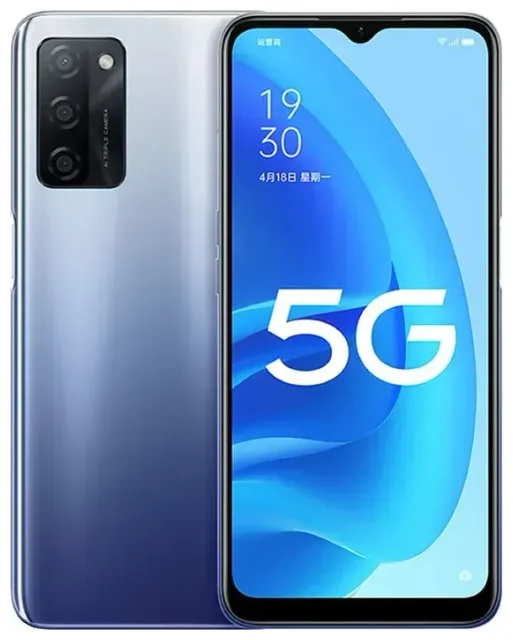
Does the OPPO A55s 5G support eSIM?
OPPO A55s 5G eSIM compatibility
No, the OPPO A55s 5G does not support eSIM technology. This device relies exclusively on physical nano-SIM cards for cellular connectivity. All variants of the OPPO A55s 5G released across different regions—including models sold in Japan, Australia, and other markets—use traditional SIM card slots only.
Dual physical SIM capabilities
The OPPO A55s 5G does offer dual SIM functionality, but both slots require physical nano-SIM cards. You can use two separate phone numbers or carriers simultaneously by inserting two nano-SIMs into the dedicated slots. This setup works well if you want to separate work and personal lines or use a local SIM while keeping your home number active, but you'll need physical cards for both slots.
Your connectivity options without eSIM on the OPPO A55s 5G
Using physical SIM cards on your device
Since the OPPO A55s 5G doesn't support eSIM, you'll manage connectivity through its two nano-SIM card slots. Here's how to set up cellular service on this device:
- Power off your OPPO A55s 5G completely before handling the SIM tray.
- Locate the SIM tray on the side of the device and use the included ejector tool to open it.
- Place your nano-SIM card(s) in the tray, ensuring the gold contacts face down and the notched corner aligns correctly.
- Reinsert the tray firmly until it clicks into place.
- Power on the device and wait 30–60 seconds for the network to register.
- Go to Settings > SIM Card & Mobile Data to label your SIMs (e.g., "Personal" or "Work") and set preferences for calls, texts, and data.
- Enable mobile data and configure APN settings if your carrier requires manual setup.
Consider eSIM-capable alternatives
If eSIM technology is important for your workflow or travel needs, you might want to check another device's eSIM compatibility before your next purchase. Many newer smartphones from OPPO's higher-end lines, as well as devices from Samsung, Apple, and Google, now include eSIM support alongside physical SIM slots.
Staying connected abroad with the OPPO A55s 5G
Travel SIM options for international connectivity
When you travel internationally with the OPPO A55s 5G, you'll need to use physical SIM cards to avoid expensive roaming charges. You have two main options: purchase a local nano-SIM card at your destination, or buy a prepaid international travel SIM before you leave. Local SIMs typically offer the best rates for data, but require you to physically swap cards and may mean losing access to your home number temporarily.
Why eSIM would be useful for travel
If you frequently travel or want more flexibility, understanding what you're missing can help inform future device choices. With eSIM-capable phones, travelers can browse eSIM plans and install them digitally before departure—no physical card swapping required. You'd keep your home SIM active for calls and texts while using an eSIM for affordable data abroad. Since the OPPO A55s 5G lacks this feature, you'll need to plan ahead with physical travel SIMs or accept roaming fees from your home carrier.
Tips & troubleshooting
Managing dual physical SIMs effectively
To get the most from your OPPO A55s 5G's dual SIM setup, configure which line handles mobile data by going to Settings > SIM Card & Mobile Data > Mobile Data. You can switch between SIMs depending on which has better coverage or rates. If you're using a travel SIM alongside your home SIM, enable data roaming on the travel SIM's settings while keeping your home line available for incoming calls and two-factor authentication codes.
When your SIM won't connect
If a physical SIM isn't working on your OPPO A55s 5G, first verify the card is properly seated in the tray—remove and reinsert it carefully. Restart the device and check that airplane mode is off. Go to Settings > SIM Card & Mobile Data and confirm the SIM is enabled. If 5G isn't working, check whether your carrier and plan support 5G service, and navigate to Settings > Mobile Network to ensure 5G is enabled in your preferred network settings. Some carriers require you to activate 5G service separately or may have limited coverage in your area. For persistent issues, contact your carrier to verify the SIM is activated and compatible, or visit eSIM setup help to explore connectivity resources for future devices.
SIM card not detected errors
If your OPPO A55s 5G displays "No SIM" or doesn't detect your card, the issue is usually physical. Ensure you're using a nano-SIM (not micro or standard size). Check the SIM card for visible damage or dirt on the gold contacts—gently clean with a soft, dry cloth if needed. Try the SIM in the alternate slot to rule out a faulty tray. If neither slot recognizes any SIM card, contact OPPO support, as this may indicate a hardware problem.








