 WhatsApp +44 7367 063273
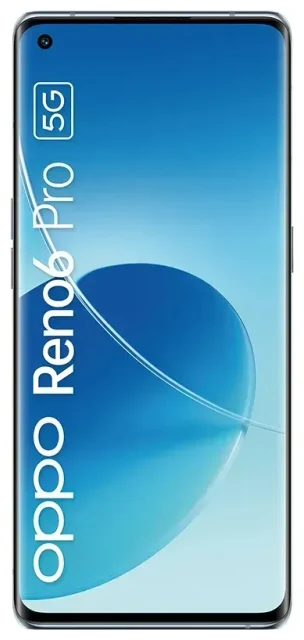
Does the OPPO Reno6 Pro 5G support eSIM?
No, the OPPO Reno6 Pro 5G does not support eSIM technology. This applies to all regional variants of the device, including models sold in India, China, and Southeast Asian markets. The phone relies exclusively on physical nano-SIM cards for cellular connectivity.
OPPO Reno6 Pro 5G eSIM compatibility
The OPPO Reno6 Pro 5G offers dual-SIM functionality, but both slots require physical nano-SIM cards. You cannot use an eSIM profile on this device. The phone supports 5G connectivity on both SIM slots, giving you flexibility to use two different carriers or keep separate work and personal numbers—but both must be traditional SIM cards.
If you're searching for OPPO devices that do support eSIM, you'll need to look at newer flagship models in OPPO's lineup. The Reno6 Pro 5G was released before OPPO began rolling out eSIM support to select devices in certain markets. If eSIM capability is essential for your needs, you can check another device's eSIM compatibility before making a purchase decision.
Your connectivity options without eSIM on the OPPO Reno6 Pro 5G
Since the OPPO Reno6 Pro 5G doesn't support eSIM, you'll work exclusively with physical SIM cards. The device accepts two nano-SIMs simultaneously, which still gives you useful flexibility for managing multiple numbers or carriers.
Set up physical SIM cards in your OPPO Reno6 Pro 5G
Here's how to get connected using traditional SIM cards:
- Power off your OPPO Reno6 Pro 5G completely before handling SIM cards.
- Locate the SIM tray on the side of the device and use the included ejector tool to remove it.
- Place one or two nano-SIM cards in the tray slots, ensuring they're oriented correctly according to the tray markings.
- Reinsert the tray firmly until it clicks into place, then power on your phone.
- Once your device boots up, go to Settings > Mobile network > SIM card settings to configure which SIM handles data, calls, and messages.
- Label each SIM (such as "Work" or "Personal") to keep track of which line you're using for each function.
Alternatives if you need eSIM functionality
If eSIM capability is important for your use case—whether for travel convenience, carrier flexibility, or avoiding physical SIM swaps—you'll need to consider a different device. Some newer OPPO models in select markets have begun offering eSIM support, though availability varies significantly by region. Check the manufacturer's specifications for current models if eSIM is a requirement for you.
Using a travel SIM on the OPPO Reno6 Pro 5G
While you can't use a travel eSIM on the OPPO Reno6 Pro 5G, you still have straightforward options for staying connected abroad without paying expensive roaming charges from your home carrier.
Get local data with a physical travel SIM
Purchase a local prepaid SIM card when you arrive at your destination, or order a multi-country travel SIM before your trip. Insert it into your second SIM slot so you can keep your home number active in the first slot for calls and text messages. This setup lets you use affordable local data rates while remaining reachable on your regular number.
Set your travel SIM as the default for mobile data in your SIM card settings, but keep your home SIM enabled for voice and SMS. This way you'll receive calls and two-factor authentication codes without incurring data roaming fees.
If you're considering your next device upgrade and frequently travel internationally, you might want to explore phones that support eSIM technology. You can browse eSIM plans to see the convenience and cost savings that digital SIM profiles offer for travelers—then choose your next device accordingly.
Tips and troubleshooting
Getting the most from your dual physical SIM setup on the OPPO Reno6 Pro 5G requires a few smart configuration choices.
Configure your SIM settings correctly
Always designate which SIM handles mobile data in Settings > Mobile network > SIM card settings. When traveling, turn on data roaming specifically for your travel SIM while leaving it off for your home SIM to avoid surprise charges. You can toggle data roaming independently for each SIM card.
Keep your home SIM active even when using a travel SIM for data. You'll still receive calls and important text messages, including two-factor authentication codes for banking and other services. Just ensure data roaming is disabled for that line.
Physical SIM troubleshooting
If a SIM card isn't recognized, power off the device and reseat the SIM tray. Make sure the card is properly aligned in its slot and that the tray clicks fully into place. Dirt or debris in the SIM slot can prevent proper contact, so inspect both the tray and slot if you're having connection issues.
For persistent problems with carrier connectivity, contact your mobile provider to confirm the SIM is properly activated and provisioned for your device. If you need guidance on SIM management or connectivity issues, visit eSIM setup help for general troubleshooting resources—though remember that eSIM-specific advice won't apply to the Reno6 Pro 5G.








