 WhatsApp +44 7367 063273
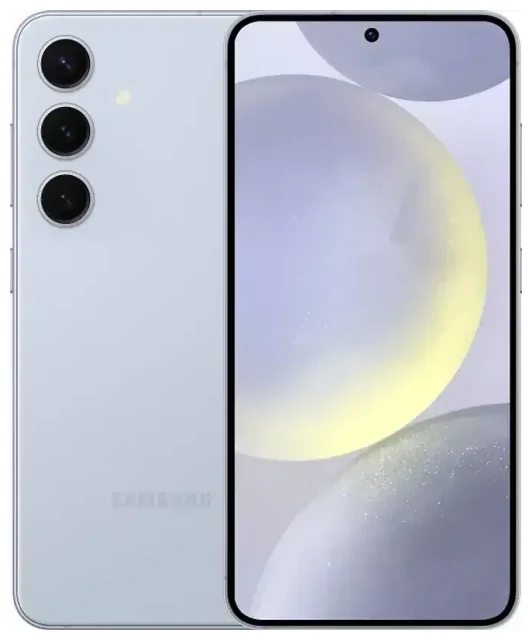
1. Does the Samsung Galaxy S24 support eSIM?
Samsung Galaxy S24 eSIM compatibility
Yes, the Samsung Galaxy S24 supports eSIM. All variants of the Galaxy S24, Galaxy S24+, and Galaxy S24 Ultra include eSIM functionality, regardless of region. You can use an eSIM as your primary connection or alongside a physical nano-SIM card.
The dual SIM configuration depends on your specific model. Most international versions of the Samsung Galaxy S24 feature a hybrid setup: one physical nano-SIM slot plus eSIM support, letting you run two lines simultaneously. Some regional variants sold in markets like the United States and Canada use dual eSIM support instead of a physical SIM card slot, allowing you to activate two eSIMs at once without any physical card.
Dual SIM: eSIM and physical SIM options
When you use the Samsung Galaxy S24 with dual SIM capability, you can keep one line active for calls and texts while the second handles data—useful when you travel or separate work from personal use. Models with a physical SIM card slot let you pair a traditional nano-SIM with an eSIM. Models without the slot support multiple eSIM profiles stored on the device, though only two can be active simultaneously.
The Samsung Galaxy S24 can store several eSIM profiles, but the number of profiles you can keep installed varies by software version. Most users can store five to ten eSIM profiles and switch between them in settings without needing to reinstall each time.
2. How to set up an eSIM on the Samsung Galaxy S24
Install your eSIM using a QR code
Setting up an eSIM on your Samsung Galaxy S24 takes about 60 seconds once you have your QR code. Your eSIM provider will email or display a QR code after you purchase a plan. Make sure you're connected to Wi-Fi before you start, because the activation process requires an internet connection.
Follow these steps to activate your eSIM:
- Open Settings on your Samsung Galaxy S24
- Tap Connections
- Select SIM manager or SIM card manager
- Tap Add eSIM or Add mobile plan
- Choose Scan QR code
- Point your camera at the QR code provided by your eSIM carrier
- Tap Add when the plan details appear
- Wait for the eSIM to download and activate—this usually takes 10 to 30 seconds
Label your eSIM line and configure settings
After installation, the Galaxy S24 will prompt you to label the new line. Give it a clear name like "Travel Data" or "Work" so you can tell your lines apart. You'll also choose which SIM handles mobile data, calls, and texts by default. You can change these preferences anytime in the SIM manager settings.
If your eSIM provider sends activation details via manual entry instead of a QR code, select Enter activation code in the Add eSIM menu and type in the SM-DP+ address and activation code exactly as provided.
3. Using a travel eSIM on the Samsung Galaxy S24
A travel eSIM is the easiest way to get mobile data when you're abroad without paying roaming charges from your home carrier. You buy a data plan for your destination, install the eSIM on your Samsung Galaxy S24 before you fly, and activate it when you land. The eSIM connects you to a local network, so you get data at local rates.
Install your travel eSIM while you're still at home and connected to Wi-Fi. The profile sits dormant on your device until you turn it on. Once you arrive, go to SIM manager, select your travel eSIM, and enable mobile data for that line. Your Samsung Galaxy S24 will connect to the local network within a few seconds.
You can keep your home SIM active for calls and text messages while the travel eSIM handles data. This setup means you still receive two-factor authentication codes and calls on your regular number, but you browse, navigate, and use apps over the local data connection. Browse eSIM plans to find coverage for your destination.
4. Tips and troubleshooting for Samsung Galaxy S24 eSIM
Enable data roaming for your eSIM line
After you activate a travel eSIM, you must turn on data roaming for that specific line. Go to Settings > Connections > Mobile networks, select your eSIM line, and toggle Data roaming on. This is not the same as international roaming charges on your home SIM—your travel eSIM is designed to roam on partner networks in your destination, and the plan you purchased already includes that access.
Keep your home SIM's data roaming turned off to avoid accidental charges. In SIM manager, set your travel eSIM as the preferred line for mobile data so your phone routes internet traffic through the correct connection.
Fix an eSIM that won't activate or scan
If the QR code won't scan, check that your camera lens is clean and the code is displayed clearly on another screen or printed without glare. You can also enter the activation details manually by selecting the manual entry option and typing the information your carrier provided.
When an eSIM downloads but won't connect, restart your Samsung Galaxy S24 and check that the eSIM line is enabled in SIM manager. Confirm that you selected the correct line for mobile data and that data roaming is on. If the eSIM still won't work, verify that the plan is active and hasn't expired—some travel eSIMs activate the moment you install them, while others start when you first connect to the destination network.
If you continue to have trouble, remove and reinstall the eSIM profile. Note that some eSIM QR codes can only be scanned once, so contact your provider for a new code if reinstalling is necessary. For additional support with activation issues, visit eSIM setup help or reach out to your eSIM carrier directly.
You can check another device's eSIM compatibility if you're considering a different phone or tablet for your trip.








