 WhatsApp +44 7367 063273
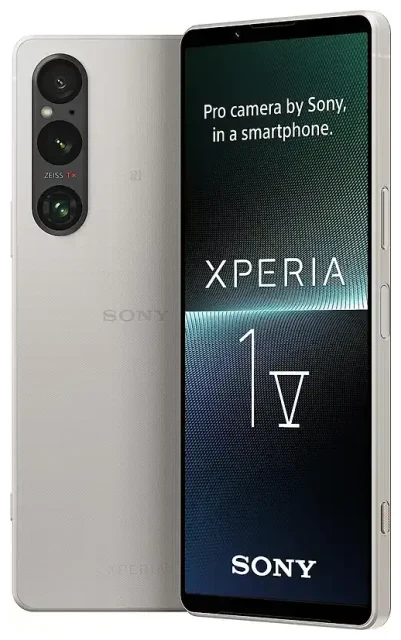
Does the Sony Xperia 1 V support eSIM?
Sony Xperia 1 V eSIM compatibility
Yes, the Sony Xperia 1 V supports eSIM. All models of the Xperia 1 V—across all regions and markets—include eSIM functionality built in. Whether you purchased the device in Europe, Asia, North America, or elsewhere, your Xperia 1 V can activate and use eSIM profiles.
Dual SIM support on the Xperia 1 V
The Sony Xperia 1 V offers dual SIM capability, letting you run one eSIM and one physical nano-SIM simultaneously. This setup means you can keep your home number on the physical SIM while adding a local or travel eSIM for data when you're abroad. Note that the device does not support dual eSIM; you're limited to one active eSIM profile at a time alongside the physical SIM slot.
How to set up an eSIM on the Sony Xperia 1 V
Set up an eSIM in Settings
Activating an eSIM on your Sony Xperia 1 V takes about 60 seconds once you have your QR code from your carrier or eSIM provider. Make sure you're connected to Wi-Fi before you begin.
- Open Settings on your Xperia 1 V.
- Tap Network & internet.
- Select SIMs or Mobile network.
- Tap Add mobile plan or the + icon.
- Choose Download a SIM instead? if prompted.
- Scan the QR code provided by your eSIM carrier using your camera.
- Confirm the download and wait while the eSIM profile installs.
- Label your new line (e.g., "Travel" or "Work") so you can tell it apart from your physical SIM.
- Set which SIM to use for mobile data, calls, and SMS in the SIM settings menu.
Once installed, your eSIM appears alongside your physical SIM in the mobile network settings. You can switch between them or choose which line handles data and which handles voice.
Using a travel eSIM on the Sony Xperia 1 V
Stay connected abroad without roaming charges
A travel eSIM is the simplest way to get mobile data when you're traveling internationally. Instead of paying your home carrier's roaming fees or hunting for a physical SIM card at the airport, you can install a prepaid data eSIM before you leave. Your Sony Xperia 1 V eSIM support makes this straightforward: purchase a regional or country-specific data plan, scan the QR code at home, and the eSIM activates as soon as you land and turn on your phone.
Because the Xperia 1 V runs dual SIM, you keep your primary number active on the physical slot for calls and text messages—including two-factor authentication codes—while the eSIM handles data. You can browse eSIM plans covering dozens of countries and regions, compare data allowances, and install the profile in minutes.
Install your travel eSIM before you fly
Download and install your travel eSIM while you're still at home and connected to Wi-Fi. The profile sits dormant until you reach your destination and enable it in your SIM settings. This way, you avoid scrambling for connectivity the moment you land, and you can share trip details or call a ride as soon as you're through customs.
Tips & troubleshooting
Turn on data roaming for the eSIM line
Even though your travel eSIM is a local data plan, Android still classifies it as roaming because it's not your default home network. Go to Settings > Network & internet > SIMs, select your eSIM, and toggle Roaming on. Without this step, your Xperia 1 V won't connect to mobile data on the eSIM, even if the profile is active.
Keep your home SIM for calls and two-factor authentication
Leave your physical SIM installed and set it as the default for voice calls and SMS. This ensures you receive verification codes and calls to your regular number. In the SIM settings, assign Mobile data to your eSIM and Calls and SMS to your physical SIM. You can adjust these preferences anytime.
Fix an eSIM that won't activate
If your QR code won't scan, check that your camera lens is clean and the code is displayed at full brightness on another screen—don't try to scan a code on the same device. If scanning still fails, look for a manual entry option: most eSIM providers include an activation code (SM-DP+ address and activation code string) that you can type in under Add mobile plan > Enter activation code manually.
If the eSIM downloads but won't connect, restart your Xperia 1 V, confirm data roaming is enabled for that line, and verify that the plan is active and has remaining data. You can also check another device's eSIM compatibility if you're troubleshooting across multiple phones, or visit eSIM setup help for step-by-step guidance.
eSIM vs physical SIM on the Sony Xperia 1 V
Both SIM types deliver identical call quality, data speeds, and network performance. The difference is convenience: an eSIM installs digitally in seconds, while a physical nano-SIM requires a card, a SIM tool, and sometimes a trip to a store. For travelers, eSIM means no tiny card to lose and no need to swap SIMs at the airport. For those who prefer tactile hardware or switch devices often, a physical SIM can feel more straightforward.








