 WhatsApp +44 7367 063273
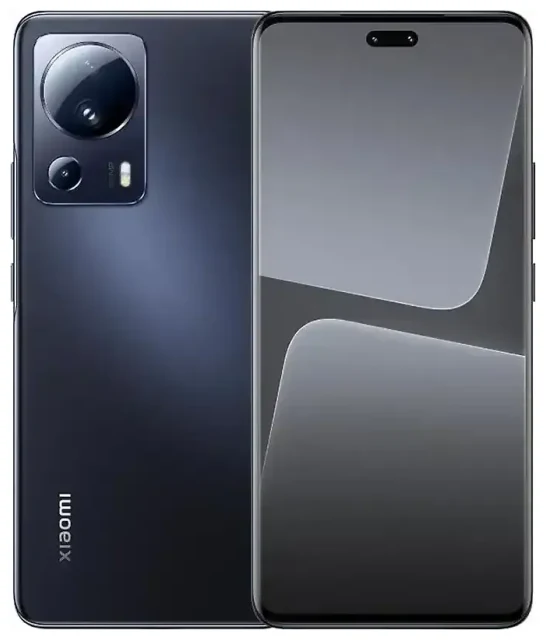
Does the Xiaomi 13 Lite support eSIM?
No, the Xiaomi 13 Lite does not support eSIM technology. This applies to all regional variants of the device, including models sold globally. The phone relies exclusively on physical nano-SIM cards for mobile connectivity.
Xiaomi 13 Lite eSIM compatibility
The Xiaomi 13 Lite offers dual physical SIM card slots, allowing you to use two nano-SIM cards simultaneously. This means you can maintain two separate phone numbers or carriers, but neither slot accepts an eSIM profile. If you've been searching "does the Xiaomi 13 Lite have eSIM" or checking whether the Mi 13 Lite supports eSIM on Reddit, the answer remains consistent: this model was not designed with eSIM capability.
While Xiaomi has introduced eSIM support in some flagship models in certain markets, the 13 Lite is not among them. If eSIM functionality is essential for your needs, you'll need to consider alternative devices or work with the dual physical SIM setup this phone provides.
Your options without eSIM on the Xiaomi 13 Lite
Using dual physical SIM cards
The Xiaomi 13 Lite's dual nano-SIM configuration gives you flexibility even without eSIM. You can keep your primary number in one slot and add a second SIM for travel, work, or a different carrier. Here's how to set up and manage physical SIM cards on your device:
- Power off your Xiaomi 13 Lite completely before handling the SIM tray.
- Locate the SIM tray on the side of the device and use the ejection tool (or a paperclip) to gently pop it out.
- Place your nano-SIM card(s) in the designated slots, ensuring the gold contacts face down and the notched corner aligns correctly.
- Reinsert the tray carefully until it clicks into place.
- Power on the device and wait for it to detect the SIM card(s).
- Go to Settings > SIM cards & mobile networks to label your SIMs, set a default for calls, messages, and mobile data, and configure any carrier-specific settings.
Consider eSIM-capable alternatives
If you specifically need eSIM functionality, you might want to check another device's eSIM compatibility before your next purchase. Xiaomi has not widely adopted eSIM across its product line, though some higher-end models in select regions may offer it. The Xiaomi 13T, Xiaomi 13T Pro, and flagship Xiaomi 13 Pro availability varies significantly by market—confirm on Xiaomi's official specifications for your region, as eSIM support is not guaranteed even on premium models. The Redmi Note 13 Pro similarly does not support eSIM in most markets.
Using a travel SIM on the Xiaomi 13 Lite
Stay connected abroad with a physical travel SIM
Without eSIM capability, your best option for affordable international connectivity is a physical travel SIM card. These prepaid cards offer local data rates in your destination country, helping you avoid expensive roaming charges from your home carrier. Purchase a travel SIM before you depart or pick one up at the airport when you arrive.
Install the travel SIM in your second slot while keeping your primary SIM in the first slot. This setup lets you receive calls and texts on your home number (watch for roaming charges on incoming calls) while using the travel SIM exclusively for mobile data. In Settings > SIM cards & mobile networks, select the travel SIM as your default for mobile data to ensure your apps and browser use the local connection.
Why travelers prefer eSIM devices
Many travelers now choose eSIM-capable phones because they can install data plans digitally within minutes, without swapping physical cards or visiting a store. You can browse eSIM plans covering dozens of countries and install them before your flight, so you land with connectivity already active. For your current Xiaomi 13 Lite, you'll need to stick with physical SIMs, but this is worth considering for future device purchases if you travel frequently.
Tips & troubleshooting
Optimize your dual SIM setup
When running two physical SIM cards on the Xiaomi 13 Lite, configure which line handles calls, texts, and data to avoid confusion. Go to Settings > SIM cards & mobile networks and tap each SIM to rename it (like "Personal" and "Travel"). Set your preferred SIM for mobile data, and choose whether calls and texts should always use one line or prompt you each time.
If you're using a travel SIM for data abroad, turn on data roaming specifically for that SIM in the mobile network settings. Keep data roaming off for your home SIM to prevent surprise charges. Your home SIM can still receive SMS for two-factor authentication codes as long as it remains active in the device.
Physical SIM card issues
If your Xiaomi 13 Lite doesn't recognize a SIM card, remove the tray and check that the card is seated correctly with no dust or debris in the slot. Ensure the SIM isn't damaged and that your carrier has activated it. Restart the phone after reinserting the card. If you continue to experience connectivity problems or need help with any setup, visit our eSIM setup help page for additional resources, including guidance on SIM troubleshooting and carrier compatibility.








