 WhatsApp +44 7367 063273
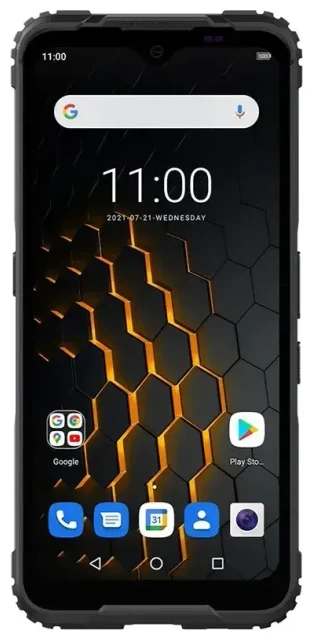
Does the ZTE Blade 5G support eSIM?
ZTE Blade 5G eSIM compatibility
No, the ZTE Blade 5G does not support eSIM. This budget-friendly 5G smartphone relies exclusively on physical nano-SIM cards for cellular connectivity. ZTE has not included eSIM capability in any variant of the Blade 5G model across different regions or carriers.
The device offers dual physical SIM card slots, which means you can use two traditional nano-SIM cards simultaneously. This setup lets you maintain two separate phone numbers or carriers at the same time, but both must be physical SIM cards—there is no eSIM option to pair with a physical SIM.
What this means for connectivity
If you're researching the ZTE Blade 5G eSIM features for travel or business use, you'll need to work with physical SIM cards only. The dual-SIM tray accepts two nano-SIM cards, giving you flexibility for separating work and personal lines or using a local SIM when traveling, but you'll need to physically swap cards rather than downloading profiles digitally.
Your options without eSIM on the ZTE Blade 5G
Using physical SIM cards effectively
Since the ZTE Blade 5G doesn't have eSIM support, here's how to manage your connectivity with physical SIM cards:
- Power off your ZTE Blade 5G completely before handling SIM cards.
- Locate the SIM tray on the side of the device and use the ejector tool (or a paperclip) to open it.
- Insert your nano-SIM card into either slot, making sure the gold contacts face down and the notched corner aligns correctly.
- If using dual SIMs, place the second nano-SIM in the other slot.
- Push the tray back into the device until it clicks securely.
- Power on your phone and go to Settings > Network & Internet > SIM cards to configure which SIM handles calls, texts, and mobile data.
- Label each SIM (like "Personal" and "Work") to avoid confusion when choosing which line to use.
Consider eSIM-capable alternatives
If eSIM functionality matters for your travel plans or you want the convenience of switching carriers without physical cards, you'll need to check another device's eSIM compatibility when shopping for your next phone. Many mid-range and flagship devices from Samsung, Google, Apple, and even some other ZTE models now include eSIM support alongside physical SIM slots.
Staying connected abroad with the ZTE Blade 5G
Travel SIM options for physical-only devices
When you travel internationally with the ZTE Blade 5G, you'll need a physical travel SIM card since the device doesn't support eSIM. You can purchase prepaid local SIM cards at your destination airport, from mobile shops, or order international travel SIM cards online before departure. These physical cards typically arrive by mail, so plan ahead and order at least a week before your trip.
Install the travel SIM in one of your dual-SIM slots before you fly, keeping your home SIM in the other slot. This way you can receive calls and texts on your regular number while using the travel SIM for data. Just remember to enable data roaming for the travel SIM in your network settings and disable it for your home SIM to avoid unexpected charges.
Why travelers prefer eSIM devices
Many travelers now choose eSIM-capable phones because they can browse eSIM plans and install data plans instantly without hunting for SIM cards abroad or waiting for delivery. With the ZTE Blade 5G, you'll need to stick with physical solutions, but the dual-SIM capability still gives you reasonable flexibility for managing home and travel connectivity simultaneously.
Tips & troubleshooting
Optimize your dual physical SIM setup
Configure your SIM preferences carefully in Settings to control which card handles what. Set your home SIM as the default for calls and SMS so you can receive two-factor authentication codes and stay reachable on your regular number. Meanwhile, designate your travel or secondary SIM for mobile data to take advantage of better rates or local coverage.
Always enable data roaming specifically for the SIM you want to use for internet access, and double-check that roaming is off for the other SIM. This prevents bill shock from accidental roaming charges on your primary line.
Physical SIM card issues
If your ZTE Blade 5G doesn't detect a SIM card, power off the device and reseat the card, making sure it's properly aligned in the tray. Check that you're using the correct nano-SIM size—older micro-SIM or standard SIM cards won't fit, even if trimmed. If the SIM worked in another device, contact your carrier to confirm the card is activated and provisioned correctly for your account.
When switching between carriers or travel SIMs frequently, label your physical SIM cards and store them safely in a SIM card holder to avoid losing these tiny pieces of plastic. Unlike eSIM profiles that live digitally on compatible devices, physical cards are easy to misplace.
Understanding the Blade 5G review context
When reading Blade 5G eSIM reviews or compatibility discussions online, note that some users confuse the ZTE Blade 5G with other models in ZTE's lineup. The standard Blade 5G does not have eSIM, regardless of what informal reviews might suggest. Always verify specs on ZTE's official product page for your specific model number. If you need eSIM setup help for a different device, confirm that model actually supports the technology first.








