WhatsApp +44 7367 063273
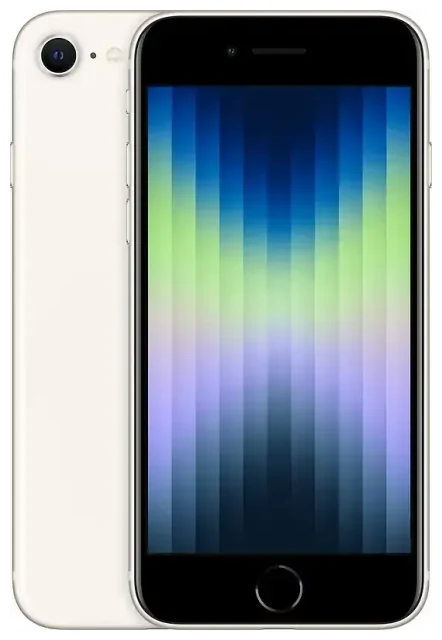
Does the Apple iPhone SE 2022 support eSIM?
Yes, the Apple iPhone SE 2022 supports eSIM. All models of this device—regardless of where you purchased it—come with eSIM capability built in. Apple released the iPhone SE (3rd generation) in March 2022, and it's the second SE model to include eSIM after the 2020 version.
Apple iPhone SE 2022 eSIM compatibility
Every Apple iPhone SE 2022 supports one physical nano-SIM card and one eSIM simultaneously, giving you dual SIM functionality. You can keep your primary number on the physical SIM and add a second line via eSIM—or the other way around. This makes the device especially useful for travel, when you want local data without removing your home SIM.
The iPhone SE 2022 does not support dual eSIM mode in most regions; you'll need at least one physical SIM installed to use dual SIM. However, you can store multiple eSIM profiles on the device and switch between them in Settings, even though only one eSIM can be active at a time alongside your physical SIM.
eSIM vs physical SIM on the iPhone SE 3rd generation
Unlike the iPhone 14 and newer models sold in the United States—which are eSIM-only with no physical SIM tray—the Apple iPhone SE 2022 retains the traditional nano-SIM slot. This hybrid approach gives you flexibility: use a physical SIM if your carrier doesn't yet offer eSIM, or go fully digital with an eSIM profile and leave the SIM slot free for a travel SIM when you need it.
How to set up an eSIM on the Apple iPhone SE 2022
Setting up an eSIM on your Apple iPhone SE 2022 takes about a minute once you have your QR code or activation details from your carrier or eSIM provider. Make sure you're connected to Wi-Fi before you start.
Install an eSIM using a QR code
- Open Settings and tap Cellular (or Mobile Data in some regions).
- Tap Add Cellular Plan.
- Use your camera to scan the QR code provided by your carrier or eSIM provider. Hold the phone steady until the code is recognized.
- Tap Continue when the plan details appear, then wait while the eSIM profile downloads and installs—this usually takes 30 to 60 seconds.
- Label your new line with a name like "Travel" or "Work" so you can tell your SIMs apart.
- Choose which line you want to use for cellular data by default, and which for calls. You can change these settings anytime in Settings > Cellular.
Some carriers and eSIM providers also support app-based activation or manual entry using an activation code. If your QR code won't scan, look for an option to enter details manually in the same Add Cellular Plan screen.
Set up dual SIM labels and defaults
After installation, your Apple iPhone SE 2022 will prompt you to assign a label and a default purpose to each line. You can designate one line for data and another for voice, or set one as your primary number and the other for secondary use. These preferences live in Settings under Cellular, and you can adjust them anytime—helpful when you want to switch to a local data eSIM while keeping your home number active for calls and texts.
Using a travel eSIM on the Apple iPhone SE 2022
A travel eSIM is one of the easiest ways to get mobile data abroad without paying roaming fees. Instead of hunting for a local SIM card at the airport or dealing with your home carrier's expensive roaming packages, you can install an eSIM plan before you leave and have data the moment you land.
Install your travel eSIM before you fly
Most eSIM providers email you a QR code as soon as you purchase a plan. You can install the profile on your Apple iPhone SE 2022 while you're still at home—just follow the setup steps above. The eSIM won't start using data or counting down your plan until you arrive in your destination country and turn on the line in Settings. This means you can prepare everything in advance and avoid the stress of finding Wi-Fi or a SIM vendor when you're tired and jet-lagged.
Once you land, go to Settings > Cellular, tap your travel eSIM, and turn on Turn On This Line. Then set it as your default data line. Your home SIM stays active for calls and SMS, but your data traffic routes through the local eSIM—keeping costs down and speeds high. You can browse eSIM plans for your next destination and compare coverage, data allowances, and validity periods.
Tips & troubleshooting
A few settings tweaks will help you get the most out of your Apple iPhone SE 2022 eSIM and avoid common headaches.
Turn on data roaming for your eSIM line
Even though your eSIM is "local" data in many countries, iOS sometimes treats it as roaming. Go to Settings > Cellular, tap your eSIM line, then toggle Data Roaming to on. Don't worry—you won't incur roaming charges from your eSIM provider; this setting just allows the line to connect to the network.
Keep your home SIM active for calls and two-factor authentication
One big advantage of dual SIM on the iPhone SE 2022 is that you can receive calls and SMS on your primary number while using the eSIM for data. This is essential for banking apps, work messages, and any service that sends you a verification code. In Cellular settings, make sure your home SIM is set as the default for voice and that iMessage and FaceTime are registered to it if you want to stay reachable on those platforms.
Fix an eSIM that won't activate
If your eSIM profile downloads but won't activate, restart your Apple iPhone SE 2022 and check that you have a strong Wi-Fi or cellular connection. Make sure the eSIM line is toggled on in Settings > Cellular. If the QR code won't scan—due to poor lighting or a damaged printout—look for a manual activation option in the Add Cellular Plan menu, or ask your provider for an activation code you can type in. For persistent issues, you can get eSIM setup help or contact your carrier's support team.
If you're traveling and your eSIM isn't connecting, confirm that data roaming is enabled for that line and that you've selected it as your default data line. Some eSIMs take a few minutes to register on the local network after you land, so give it a moment before troubleshooting further.
Check compatibility for other devices
If you're curious whether another phone or tablet in your household supports eSIM—especially older iPhone SE models or other Apple devices—you can check another device's eSIM compatibility before you buy a plan. The first-generation iPhone SE (2016) does not support eSIM; only the iPhone SE 2020 (2nd generation) and the iPhone SE 2022 (3rd generation) have this feature.